Video Conferencing for Site Offices
Site-office meeting rooms are big and temporary: no major building work, and the set goes with you when the project ends. The UCB-W bundles pair a camera with daisy-chain speakerphones and work out of the box.
What a site-office meeting room is like
Site offices are the front line when a plant is built or expanded. Engineers, supervisors, contractors and the owner meet there every day, and often over video with the owner to go through progress, drawings and changes. A site-office meeting room has three clear traits:
- Temporary: a site office follows the project and is cleared when the work ends; how long that takes depends on the industry and the project.
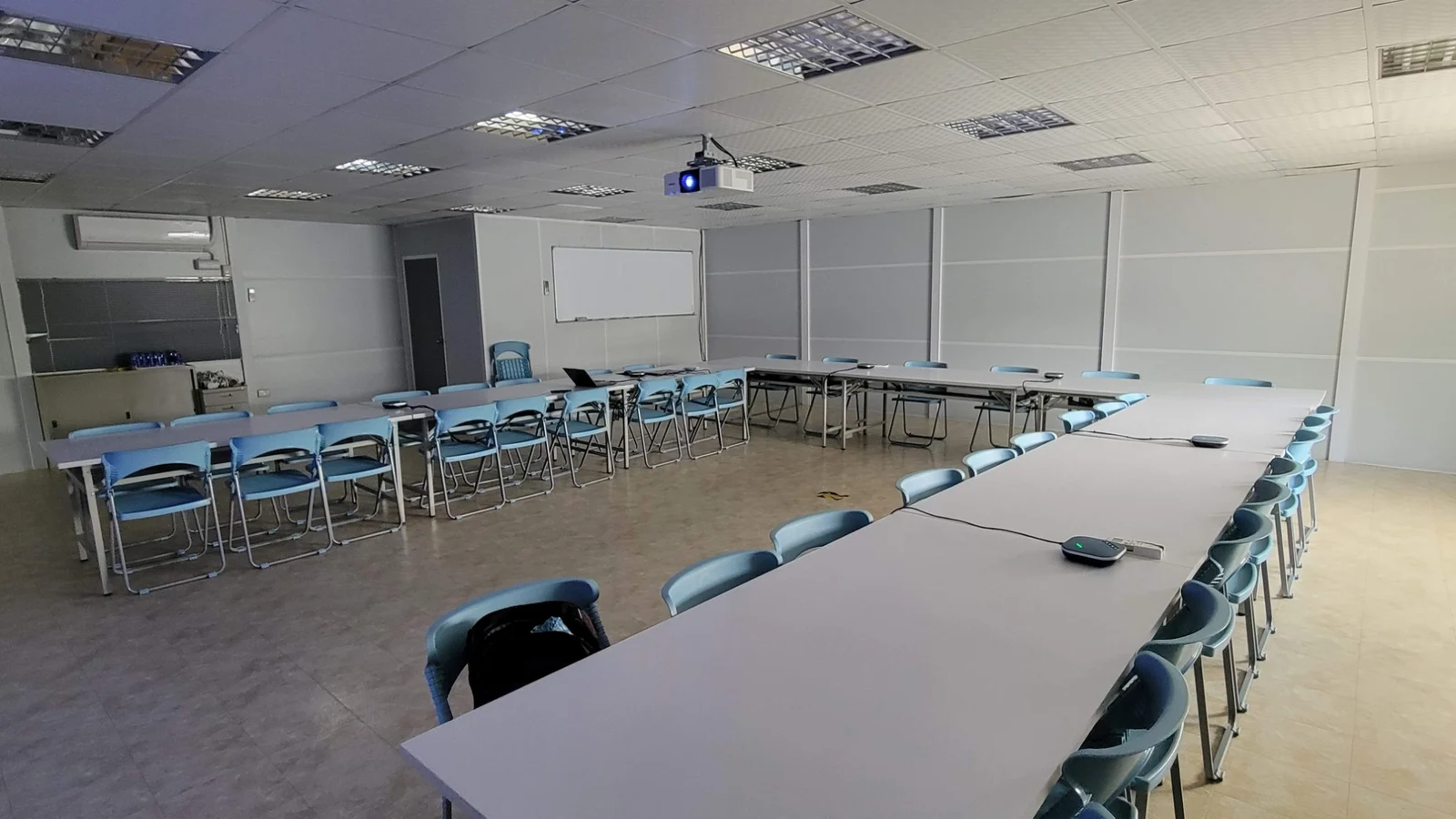
- Square and wide: mostly a square room, with tables in a U-shape or a smaller long table, and people seated far apart.
- Frequent video meetings with the owner: time is short, meetings are often called at once, and they are about progress, cost and schedule.
Three traits, three pain points
- Sound: in a wide room with people far apart, the pickup range of a small-room product is not enough, so people at the far end cannot hear or be heard.
- Picture: the speaker is far from the screen and the camera, so the owner on the other end cannot see who is talking.
- Equipment: the project always ends, so fixed installation means building work, cabling and a big budget, and nothing can be taken away afterwards; without it, the team makes do with a small-room product.
Left alone, the cost is bigger than it looks
These pain points look small day to day, but in a video meeting with the owner they get magnified:
- The owner cannot hear clearly, so a sentence is repeated several times, the meeting drags on and everyone is worn out.
- Progress, drawings and changes are not understood properly, which invites misunderstandings, takes more time to confirm and correct later, and can affect decisions and the schedule.
- Before every meeting someone is adjusting equipment or moving things, so engineers spend their time on equipment instead of on the work.
- Money put into a fixed installation is wasted when the project ends and the equipment is left on site.
What a site office needs is not a more expensive system, but a set with wide pickup, a picture that shows who is talking, and no major building work, that can be taken away.
The CAVE answer: UCB-W bundles
A UCB-W bundle is one A12 (12× optical zoom PTZ camera) with SM-800 daisy-chain speakerphones. The SM-800 units chain one after another on the dedicated cable (5 metres each), up to six in a chain, with the sound played in sync and echo handled together. Choose 3 units (U-shape or long table) or 6 (large U-shape) by the shape of the table and the number of people:
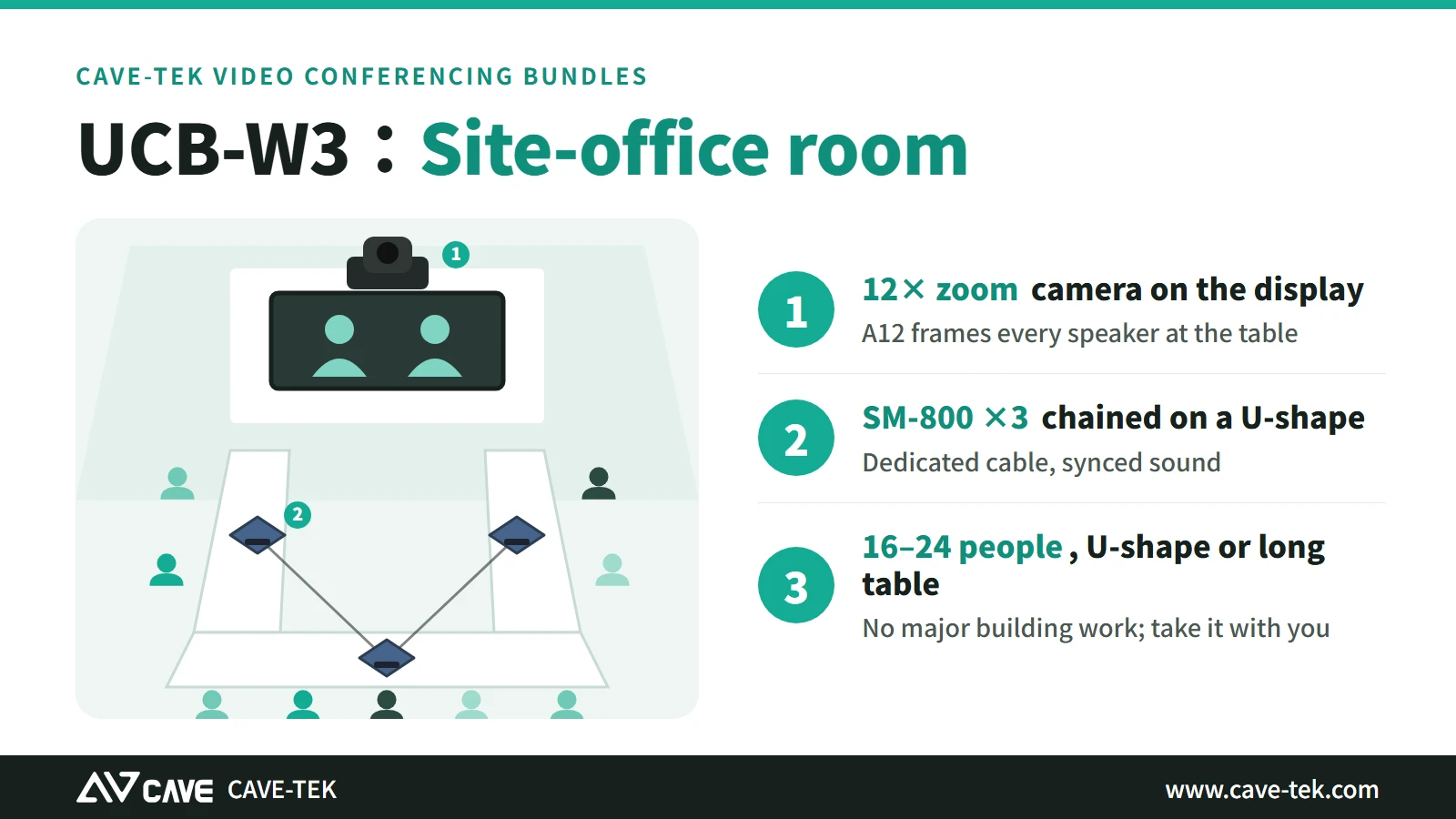
UCB-W3: a site-office room
A12 and 3 SM-800. 16–24 people, U-shape or long-table rooms.
View UCB-W3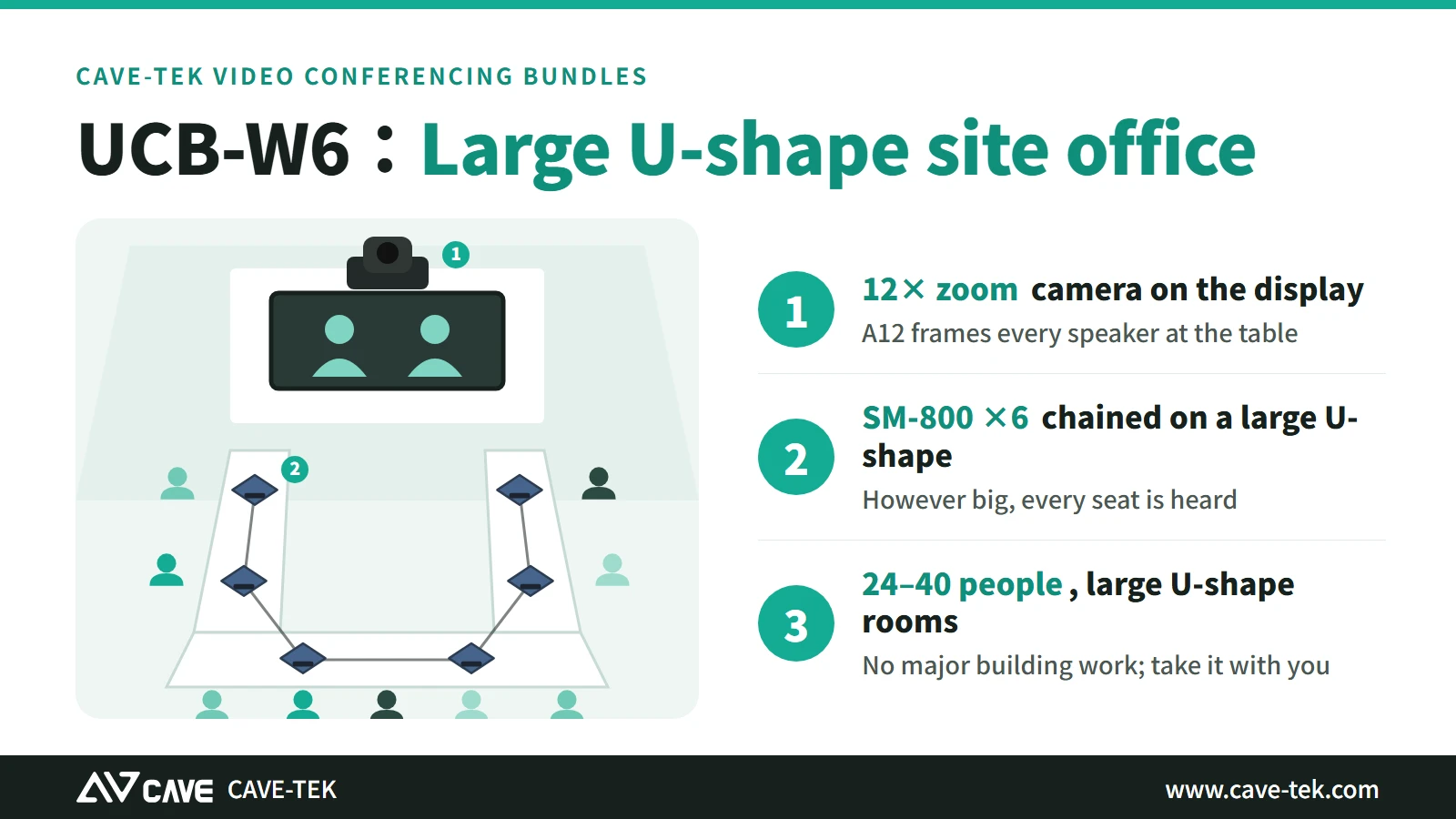
UCB-W6: a large U-shape site-office room
A12 and 6 SM-800. 24–40 people, large U-shape rooms.
View UCB-W6People counts are a guide; contact us and we will plan for your actual room. For smaller site-office rooms, UCB-S, UCB-M and UCB-L are also available.
Each pain point has its answer
| Pain point | How UCB-W handles it |
|---|---|
| Sound: the far end cannot hear | Each SM-800 picks up across 6 metres (a 3-metre radius); chained round the table, every seat has a microphone and speaker nearby |
| Picture: cannot see who is talking | The A12 has 12× optical zoom, so a distant speaker comes into close-up |
| Equipment: costly to install, cannot be taken away | The speakerphones sit on the table; the camera goes above the screen or on a wall bracket with simple installation; and the whole set goes to the next site office when the project ends |
| Adjusting equipment before every meeting | Connect the computer by USB, with no driver to install on Windows or macOS, and select it directly in Teams, Google Meet or Zoom |
Which one to choose
| Room and people | Suggested bundle |
|---|---|
| Small talks, 2–6 people | UCB-S |
| Standard meeting room, 6–10 people | UCB-M |
| Long-table room, 10–16 people | UCB-L |
| Site-office room (U-shape or long table), 16–24 people | UCB-W3 (A12 and 3 SM-800) |
| Large U-shape site-office room, 24–40 people | UCB-W6 (A12 and 6 SM-800) |
On site
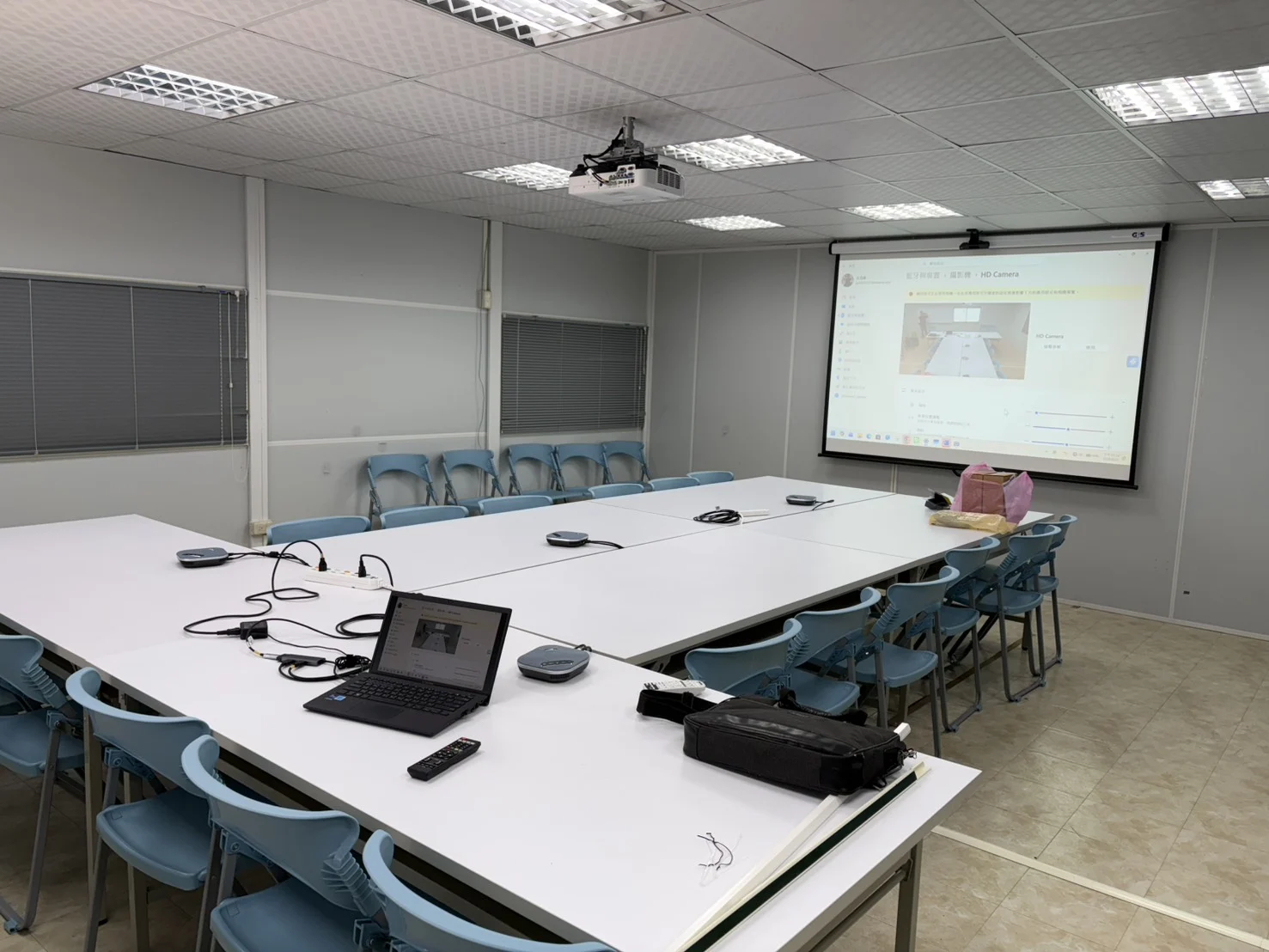
Tables and a screen
A site-office meeting room: tables pushed together, with the video call with the owner on the screen.
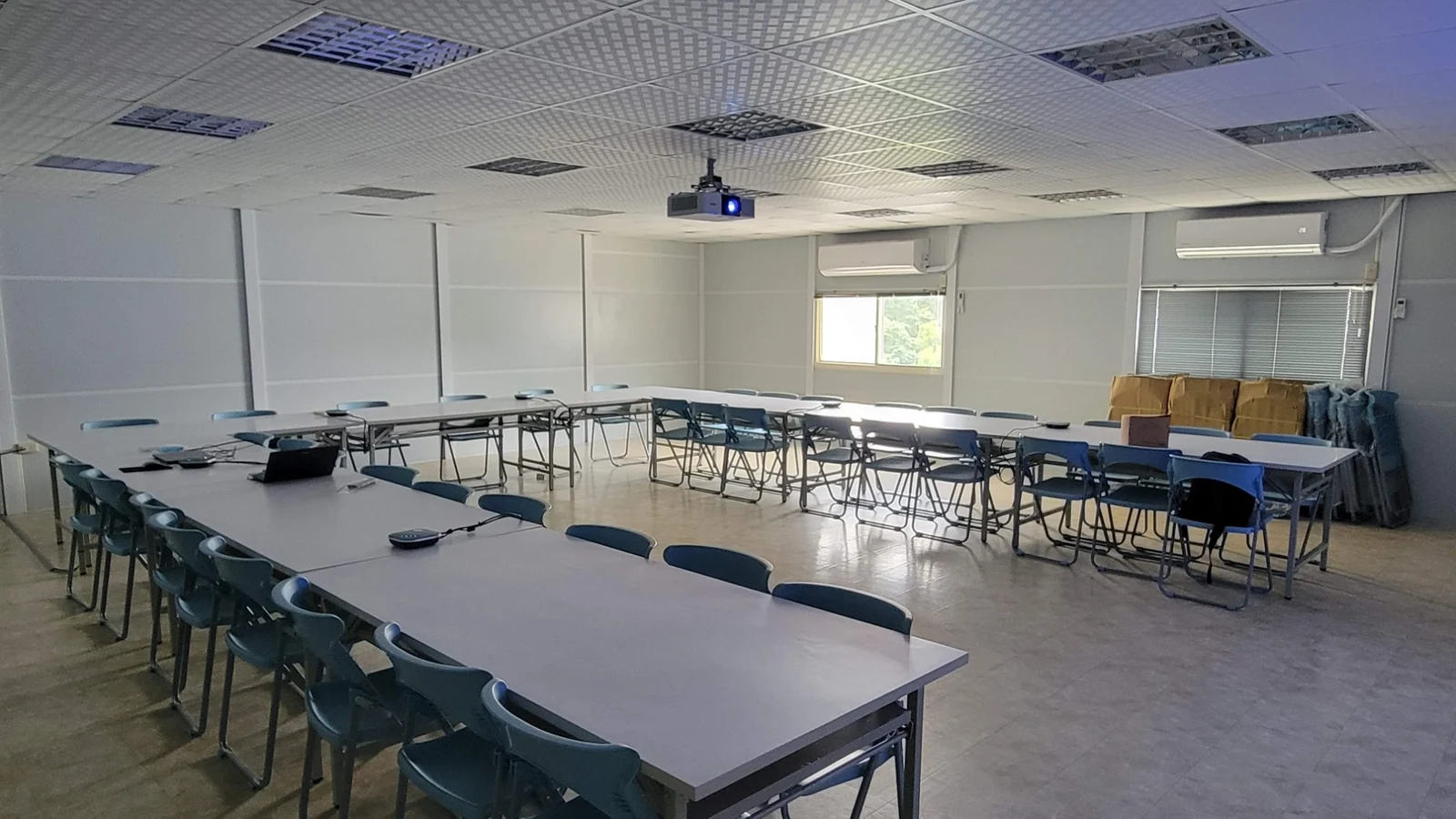
A U-shaped table
However big the table, every seat needs to hear and be heard.
A wide room
With people seated far apart, what counts is pickup that covers the whole room.
FAQ
What happens when the site office moves or the project ends?
Pack the set up and take it with you. In the next room, put it on the table, connect a computer and it works.
Is any building work needed?
No major work. The speakerphones sit on the table; the camera can sit above the screen or on a stand, or be fixed to the wall with a wall bracket, which takes only simple installation.
Which cable do I use to chain SM-800 units?
Chain with the dedicated cable supplied (5 metres each).
Which meeting software works?
Common software such as Teams, Google Meet and Zoom. Connect the computer by USB; there is no driver to install.
Wondering what suits your site office?
Tell us the size of the room, the number of people and how the tables are laid out, and our professional team will contact you to help plan it.