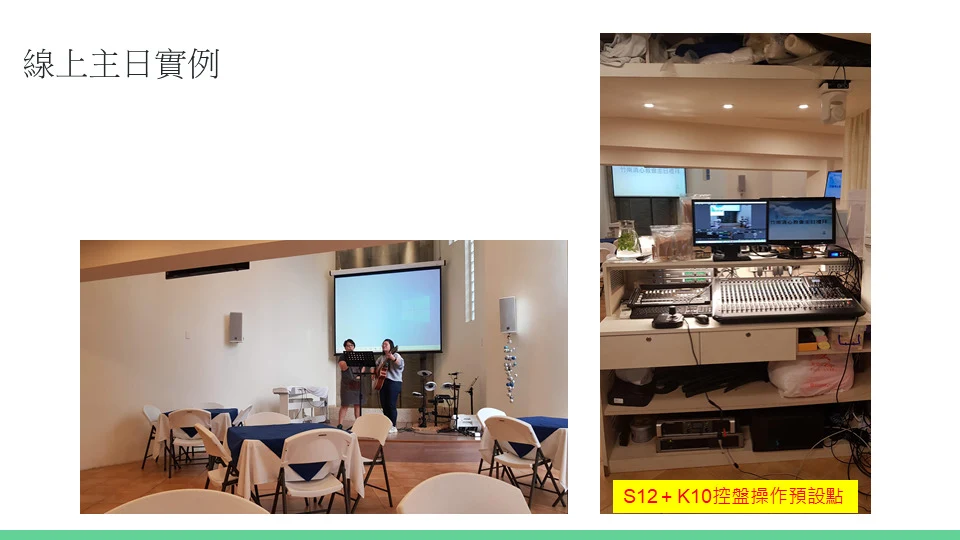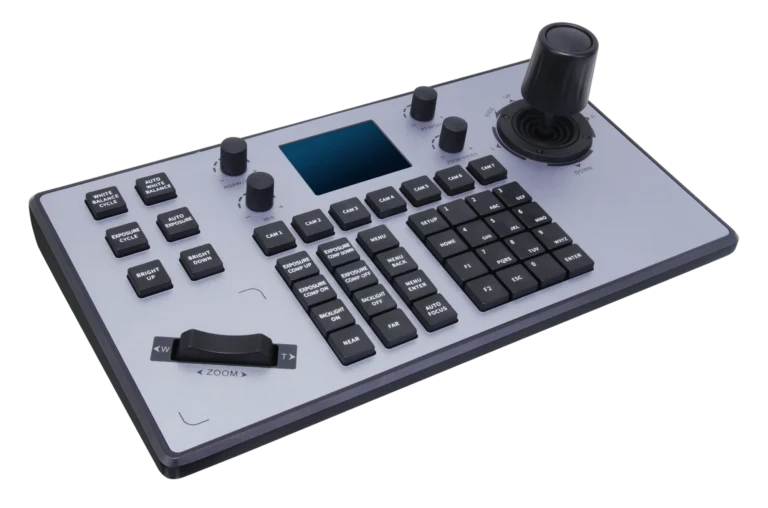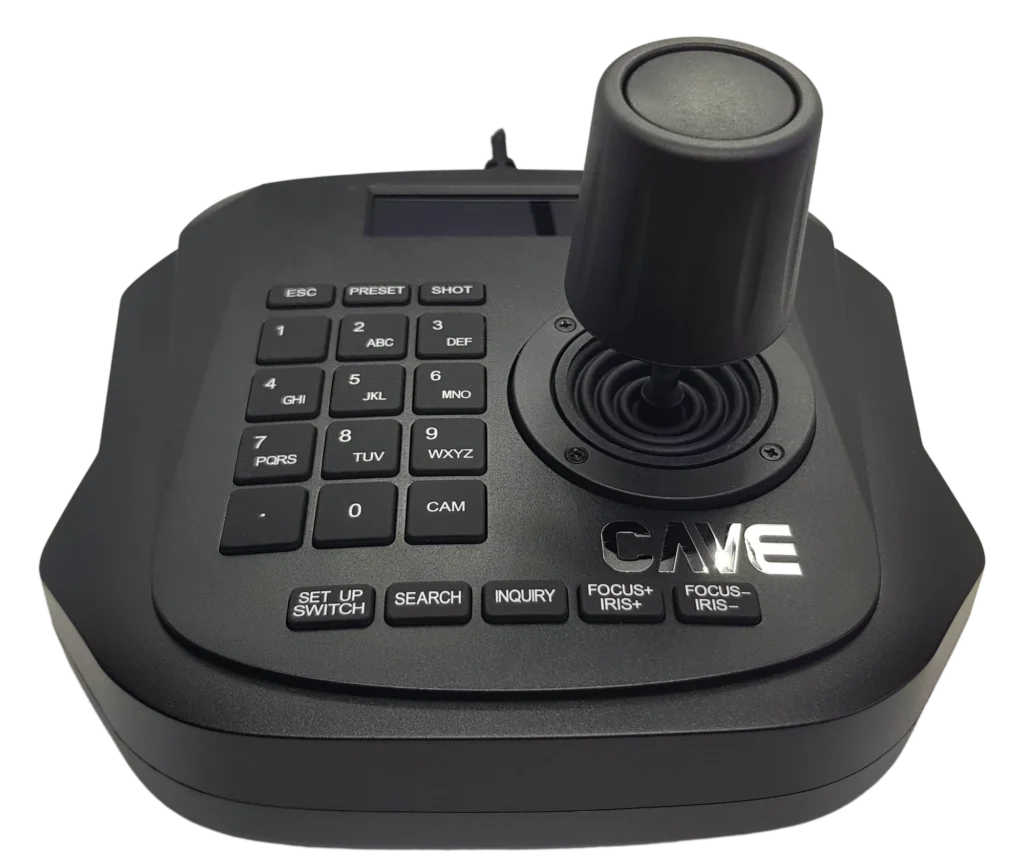
Cameras
Joystick
Auto discovery
Quick presets
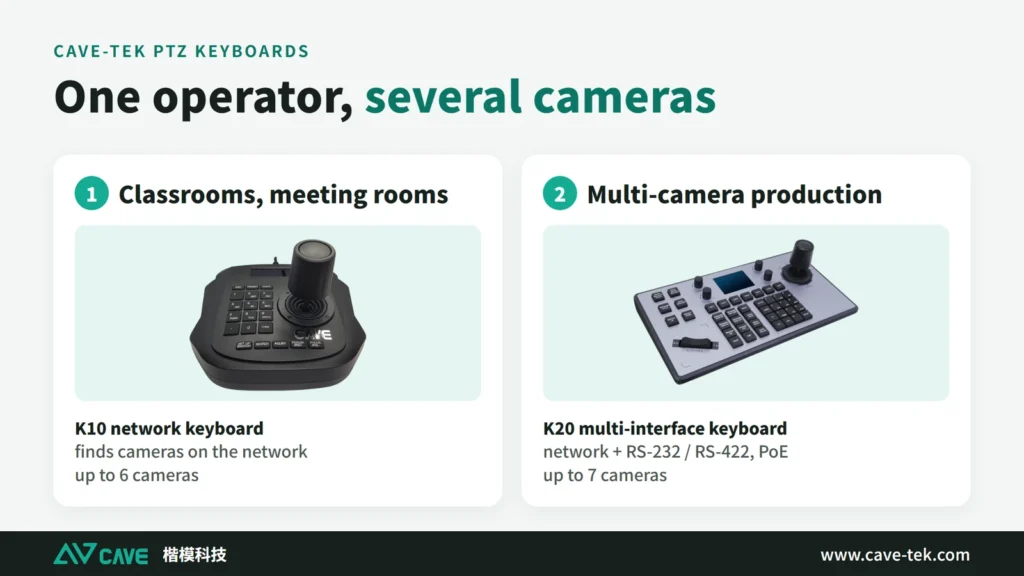
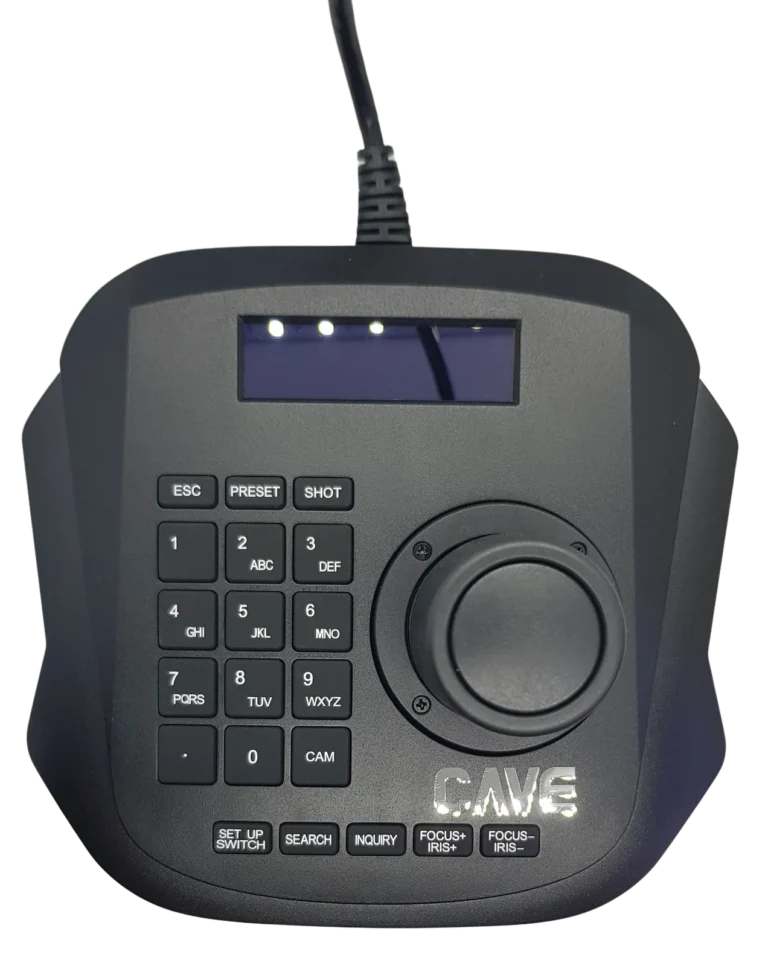
K10 is a PTZ keyboard that connects over the network. Plug in one network cable and it finds the cameras on the network by itself, controlling up to 6. It suits classrooms, meeting rooms and small live productions, where the joystick handles everyday camera moves.
01Automatic camera discovery
Connect to the network and it finds them.
Using ONVIF, it detects the PTZ cameras on the same network, so you don't enter settings one camera at a time.
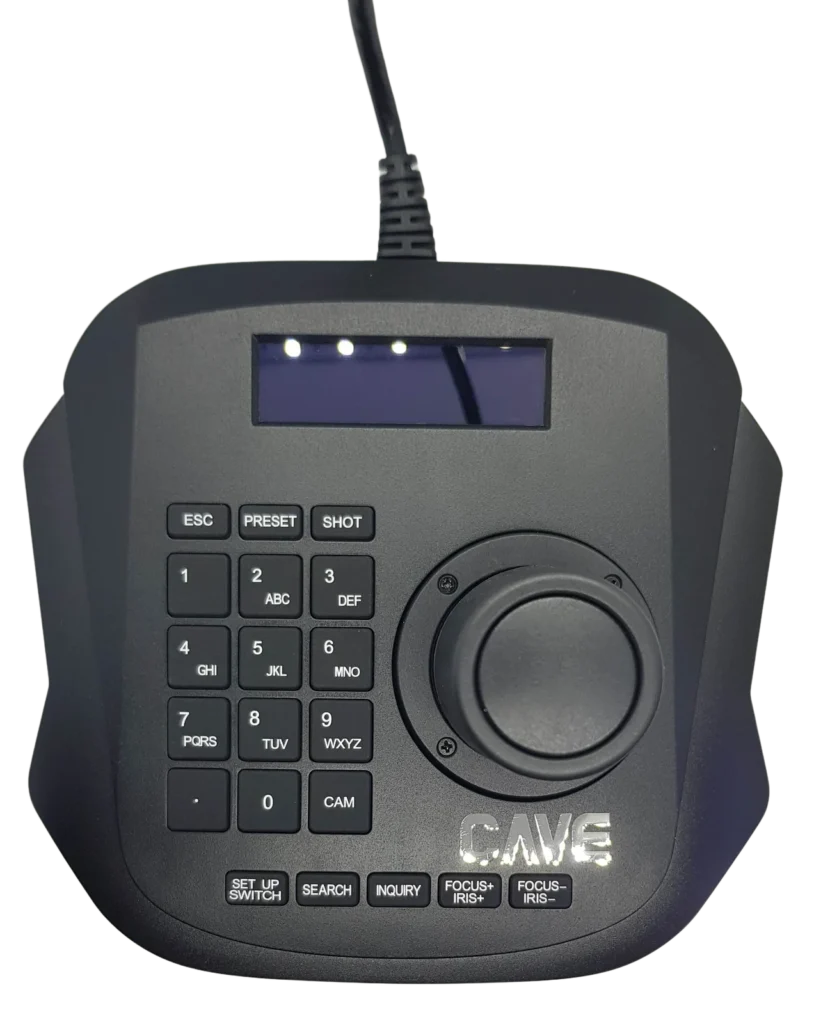
024D joystick
Easier than a remote.
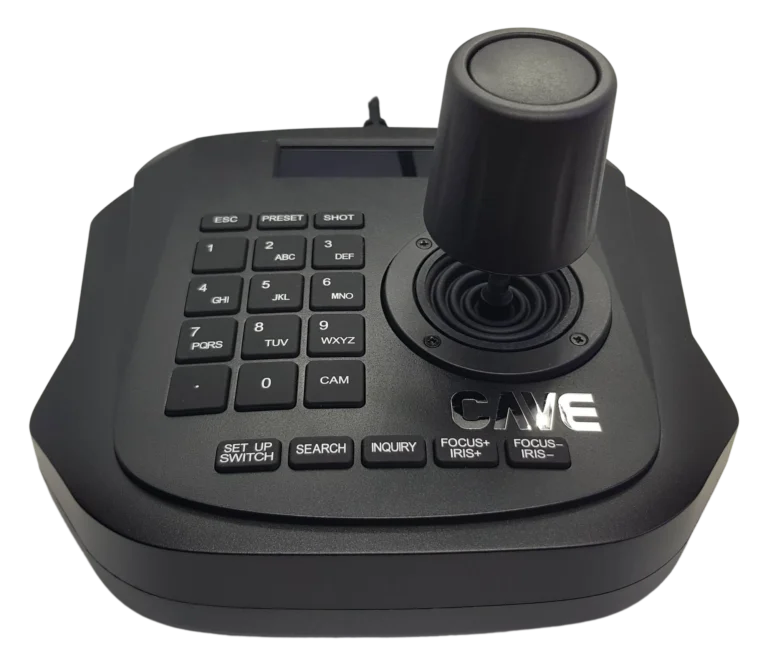
The joystick pans and tilts, and twisting its head zooms in and out, so one hand does the whole move.
036 cameras, 10 presets
One key to change camera, one to change position.
Up to 6 cameras can be connected, with 10 preset positions for quick switching.
04Web setup
Set it up from a browser.
A setup page is built in, or use the on-screen menu on the unit. It is compact and weighs only 0.5 kg.
05With a recorder
Just right for a two-camera classroom.
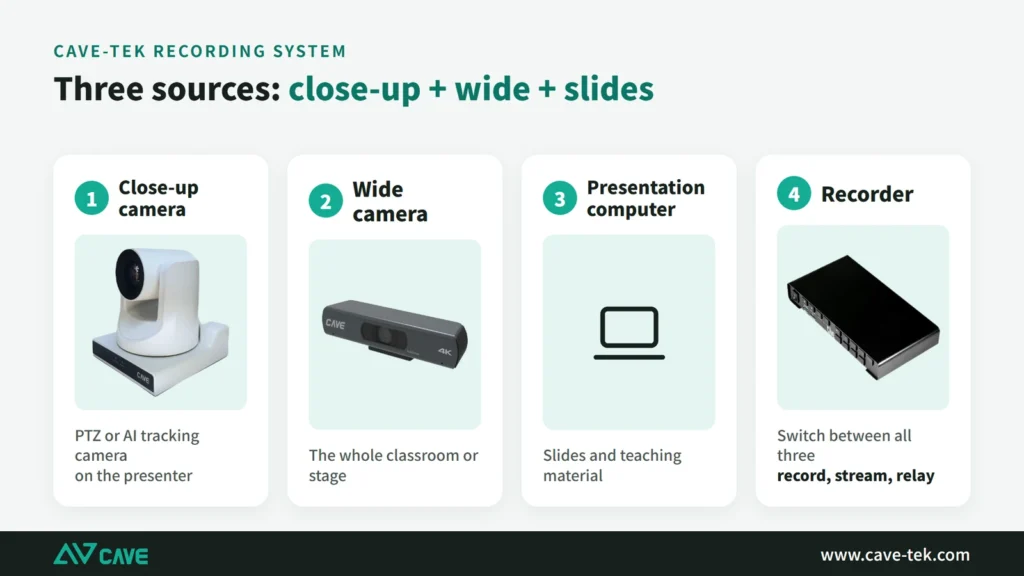
A common setup in a medium classroom: two cameras take the presenter close-up and the wide shot, go into an NSR-200 recorder with the presentation computer, and K10 switches their presets.
Design
Tech Specs
PTZ Camera Control
- PTZ Protocol
- ONVIF 2.4
- Joystick
- 4D joystick (3-axis + 1 button) Direction control, twist to zoom (Zoom In/Out), confirm button
- Button
- 20 Buttons
- LCD Display
- 56 * 16 mm
- No. of control camera
- 6
- System setup
- OSD, Web Setup Page (IE, Chrome, Safari etc..)
Interface
- Network Interface
- 1xRJ-45 Ethernet (10M/100M)
- Power
- DC IN 12V / 2A
General specification
- Input Voltage
- DC 12V
- Power Consumption
- 0.6 W (Max)
- Temperature Range
- Operating: 0°C ~ 50°C Storage: -10°C ~ 60°C
- Dimension (WxDxH)
- 158mm x 150mm x 107mm
- Weight
- 0.5 Kg
Inside the box
- Package
- Keyboard Controller, Power Adaptor, Quick Start Guide, Warranty Card
- 4D joystick
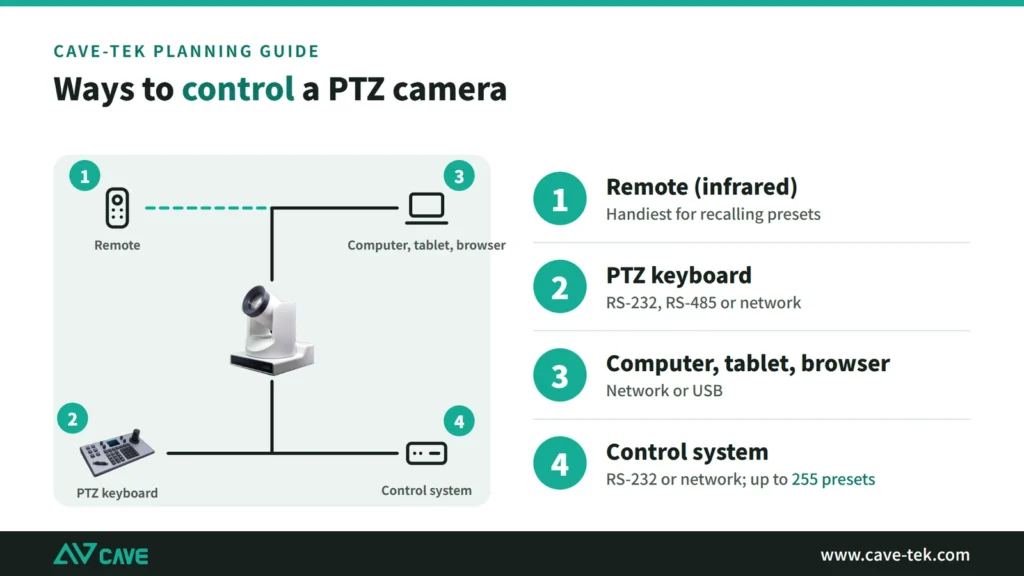
- Control the pan, tilt, zoom on the PTZ camera instantly.
- Easy network connection
- You can control any CAVE PTZ Camera at your location by using RJ45 cable.
- ONVIF protocol and auto-discovery
- It uses ONVIF to connect cameras easily and support auto-discovery.
- Supports up to 6 PTZ cameras
- You can connect up to 6 PTZ cameras simultaneously with this controller.
- 10 preset positions
- You can easy setup 10 preset positions and make them move around to any area you want.
- Web-based setup page
- With built-in web-based setup page, you have the complete control easily.
Specifications are subject to change without notice.
Downloads
FAQ
How many cameras can K10 control?
Up to 6, with 10 preset positions for quick switching.
How does K10 connect to the cameras?
Put K10 and the cameras on the same network. K10 uses ONVIF and finds the PTZ cameras on the network automatically, with no need to enter each one by hand.
Does K10 support PoE?
No. K10 is powered by the supplied DC 12V adaptor. If you need PoE, choose K20.
Related guides
What Is a PTZ Camera? Pan, Tilt and Zoom Explained in Plain Words
You hear "PTZ camera" in meeting rooms, classrooms and halls. How does it differ from an ordinary webcam? This guide takes it apart: how it turns, how it zooms, what presets are, how to control it and how the picture gets out.
How to Plan a Hybrid Classroom: Lectures, Demonstrations and Discussions, With Remote Students Following Along
The teacher teaches in the classroom while some students join online at the same time. This guide uses three kinds of class (lecture, demonstration, discussion) to explain the cameras, microphones and controls for a hybrid classroom, and sorts out the terms.
Live Streaming and Recording for Churches and Worship Halls: A Setup One Person Can Run
A church wants to stream the Sunday service for people who cannot attend, but only one or two volunteers look after the equipment. This guide covers what to shoot, how to connect the sound and who runs what.