Units in a chain
Talker optimisation
Power & audio over one cable
Pickup radius
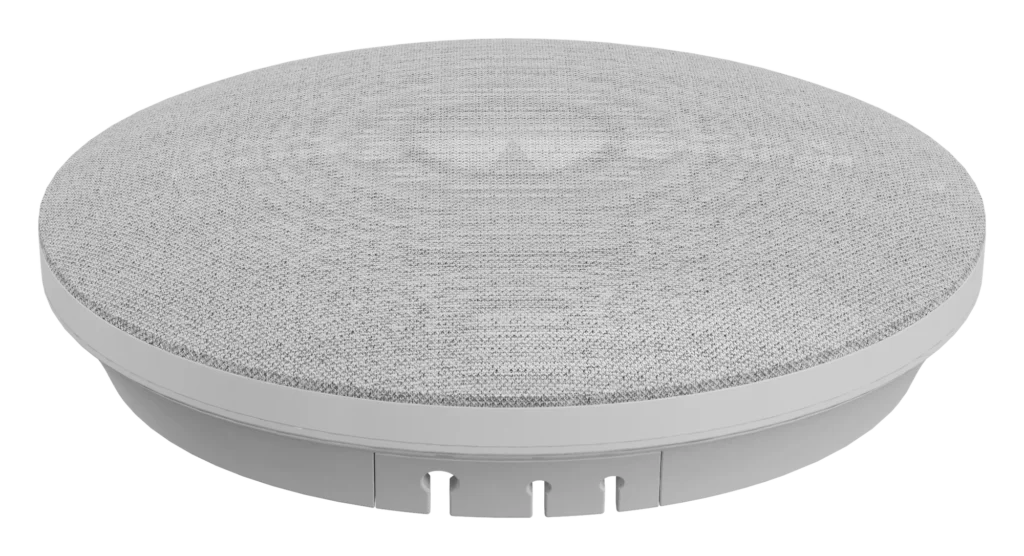
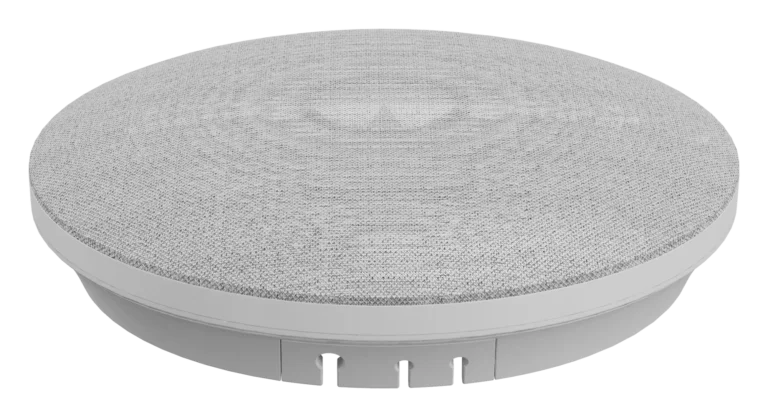
DMA-702 is an array microphone that mounts in the ceiling. Nothing sits on the table and no cables cross it. One unit covers a 3-metre radius, and larger spaces link up to 6 with network cable. It suits medium and large meeting rooms, or anywhere the table should stay clear.
01Hidden in the ceiling
A clear table, with no loss of pickup.
An array of six omnidirectional microphones picks up sound through 360°, covering 6 metres across (a 3-metre radius). It measures 17 cm square and weighs 370 g.
02AI talker pickup
Whoever is speaking is picked up clearly.
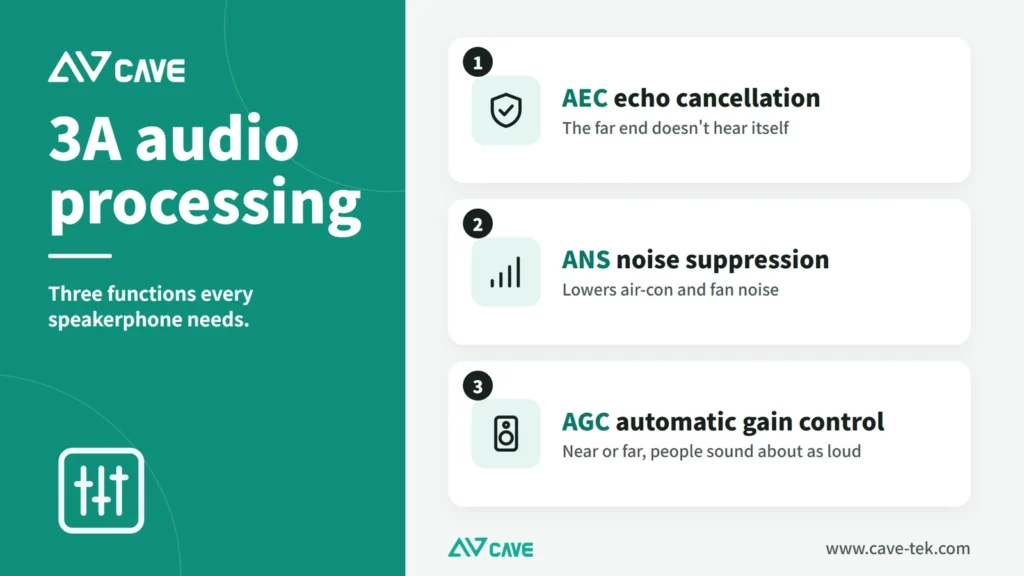
AI strengthens the voice of the person talking, alongside echo cancellation, noise suppression and automatic gain control.
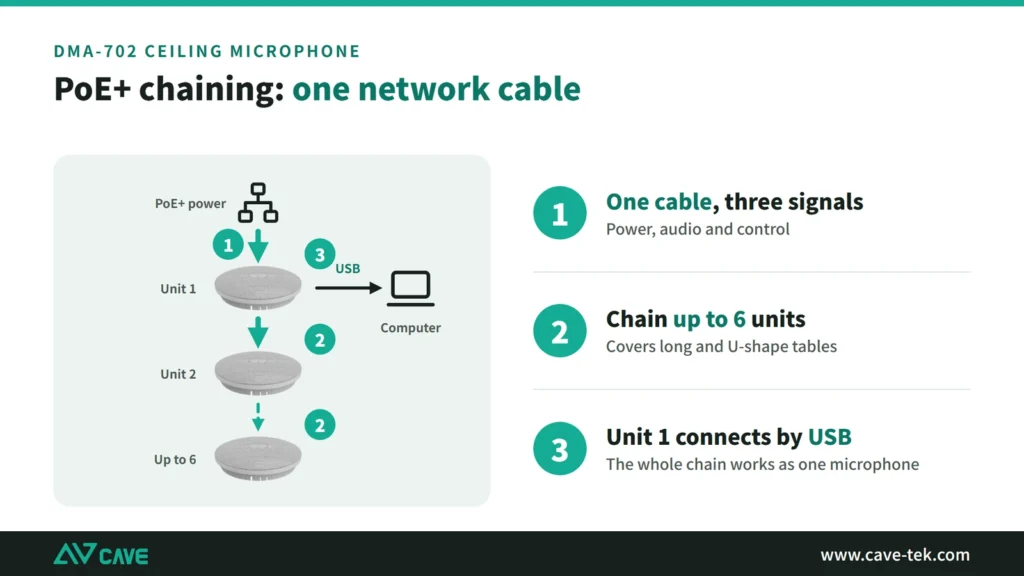
03PoE+ chaining
One network cable for power and sound.
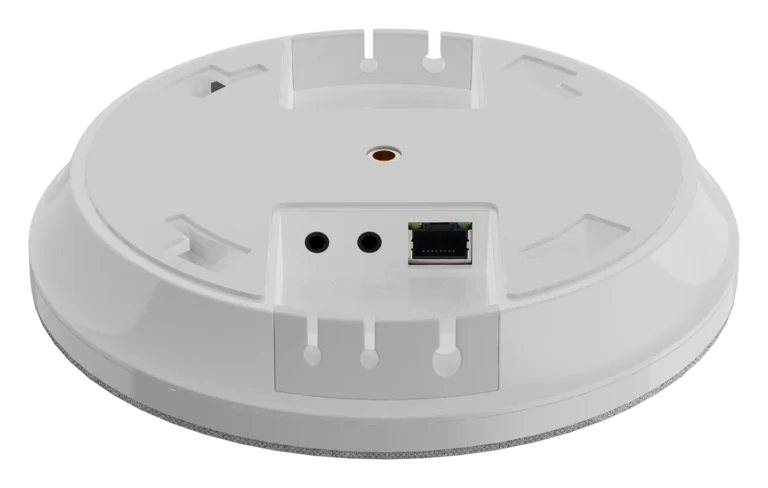
Units are linked with network cable that carries power, audio and control together. Up to 6 can be chained to cover a long or U-shaped table.
04Connects to a computer and to existing audio
USB for the computer, AUX for the amplifier.
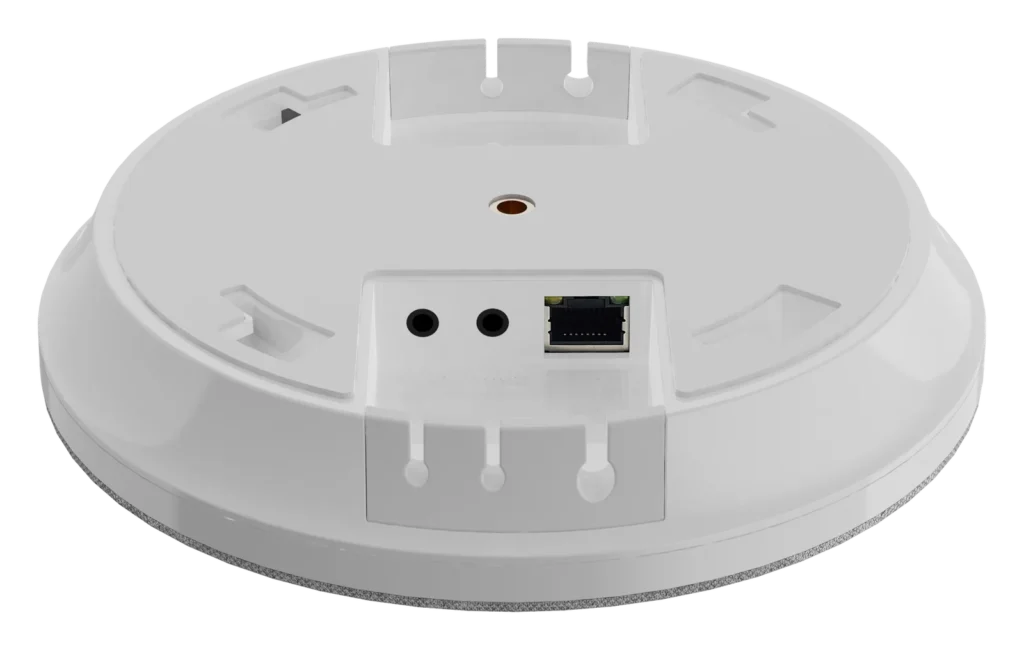
USB Type-C connects to a computer as a USB microphone and speaker. There are also two 3.5 mm outputs with different jobs: one carries the far end's voice, for the room loudspeakers; the other carries what the room microphones pick up, for a video conferencing codec or a streaming or recording unit. Note that the microphone feed must not be played through the room loudspeakers: it would cause echo, and the sound would be delayed.
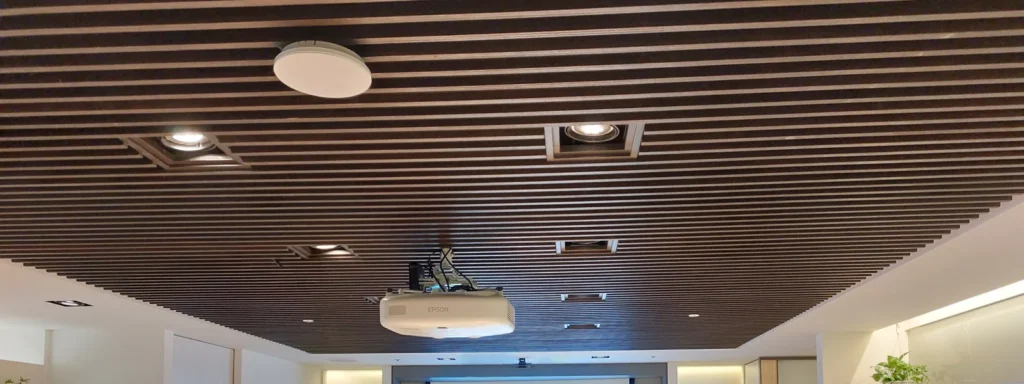
05A real installation
The microphone is on the ceiling; the table stays empty.
The photo shows a DMA-702 (the white disc above) on a meeting-room ceiling. There are no microphones on the table and no cables.
06With the DMA-702P audio processor (optional)
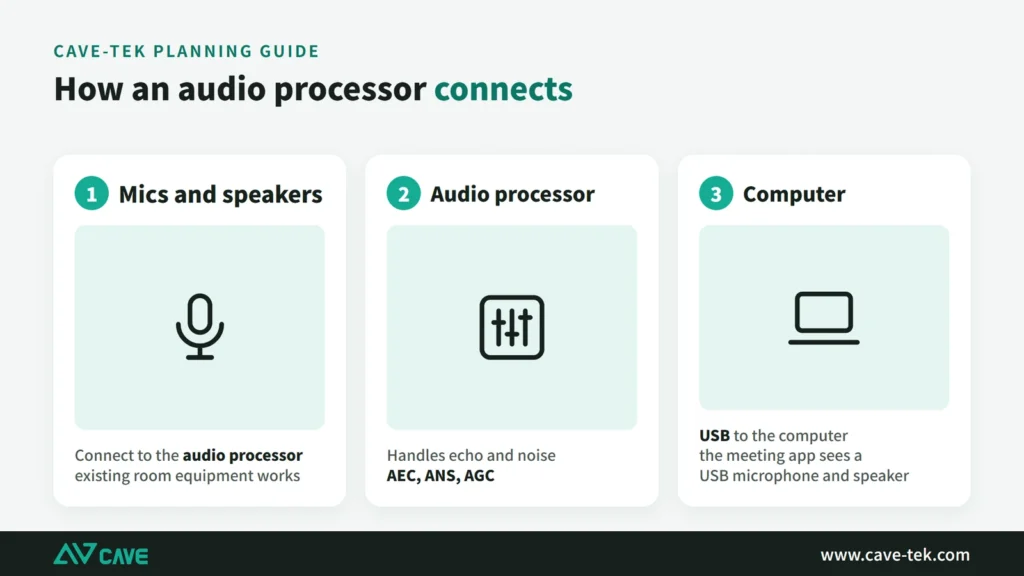
Bring the room's handheld microphones into the same system.
The optional DMA-702P audio processor powers up to six DMA-702 units over PoE and handles echo cancellation, noise removal and automatic gain. The room's existing handheld microphones can be connected and processed together, with output to a computer or codec over USB or analogue.

07How many do you need?
It depends on the size and shape of the table.
One unit covers a 3 m radius. A long table of about 6 × 10 m takes two; a U-shaped layout 8 to 10 m wide takes four at about 10 m long and six at about 14 m.
Design

Tech Specs
Audio
- Microphone type
- 6 Omni-directional Microphone array, 360° voice pick up to cover the entire meeting space.
- Microphone Frequency Range
- 50 Hz - 16K Hz
- Microphone Signal to Noise Ratio (SNR)
- 65 dB / -38dBFS
- Microphone Pickup range
- 6 Meters (Radius 3 meters)
- Advanced Audio Processing
- AI Speaker Pickup, AEC, ANS, AGC
- USB Audio
- USB Mic, USB Speaker
- Daisy Chain Expansion
- PoE daisy chain (power + audio + control signal), up to 6 units
USB
- Operation System
- Windows (7 and above), macOS™ 10.10 or higher
- USB Audio Protocol
- UAC 1.0
Interface
- USB Interface
- USB 2.0 Type-C Interface
- Audio Interface (3.5mm)
- AUX Out 1 (USB Speaker); AUX Out 2 (Mic Pickup);
- Network Interface
- RJ-45 x2 (Up/Down)
General Specification
- Input Voltage
- 5V / 0.5A, PoE+ (Support IEEE 802.3at)
- Power Consumption
- 2.5W
- Dimension (LxWxH)
- 170mm * 170mm * 40mm
- Weight
- 370 g
- Temperature Range
- Working Temp.: 0°C ~ 40°C Storage Temp.: -20°C ~ 60°C
Packages
- Accessories
- DMA702 AI Microphone, USB Cable, 3.5mm Cable
Specifications are subject to change without notice.
Downloads
FAQ
How much area does one DMA-702 cover?
6 metres (a 3-metre radius). For a larger room, chain units with network cables, up to 6, to cover a long table or a U-shaped layout.
How is DMA-702 powered?
It supports PoE+ (802.3at) over the network cable; when chained, power, audio and control all travel on the same cable. It can also be powered by USB (5V/0.5A).
Can DMA-702 connect to the room’s existing speakers or amplifier?
Yes. DMA-702 has two 3.5mm outputs: AUX1 sends the far-end sound to the room's speakers or amplifier, and AUX2 sends the local microphone pickup. Connected to a computer by USB Type-C, it appears as a USB microphone and speaker.
Related guides
Microphones for Large Meeting Rooms: Which Type to Choose, How Many to Place, and How to Deal with Room Reflections
There are several ways to pick up sound in a large meeting room, each with trade-offs. This guide compares one microphone per person, tabletop omnidirectional units and ceiling arrays, explains the limits of omnidirectional pickup such as the SM-500 and SM-800, and shows how to improve the echo caused by glass walls and hard floors.
How to Plan a Hybrid Classroom: Lectures, Demonstrations and Discussions, With Remote Students Following Along
The teacher teaches in the classroom while some students join online at the same time. This guide uses three kinds of class (lecture, demonstration, discussion) to explain the cameras, microphones and controls for a hybrid classroom, and sorts out the terms.
How to choose a conference speakerphone: fixing sound that is unclear, echoing or noisy
You can hold a meeting without seeing the other side. You can't hold one if you can't hear them. Here is where meeting-room sound problems come from, and how to choose speakers and microphones.