How to choose a conference speakerphone: fixing sound that is unclear, echoing or noisy
You can hold a meeting without seeing the other side. You can't hold one if you can't hear them. Here is where meeting-room sound problems come from, and how to choose speakers and microphones.
Short answer
Choose by headcount first. For about 6 people, put one conference speakerphone in the middle of the table. For more people, add more units (the SM-500 can be used in sets of up to 4). For a large room, or if you want nothing on the table, use ceiling microphones. Whichever you choose, make sure it has the three kinds of audio processing: echo cancellation, noise suppression and automatic gain control. Take extra care with echo in rooms with glass walls or tiled floors, which reflect sound.
Key takeaways
- Meeting audio is two-way, not just louder: echo cancellation and clear speech matter more than volume
- Sound matters more than picture: a meeting survives a soft image, not unclear audio
- Echo is the most common problem: the speaker's sound gets picked up again by the microphone
- The closer people are to a microphone the clearer they sound, so big rooms need several
- Choose conference equipment with echo cancellation, noise reduction and automatic level control
- Unclear sound is not always the equipment: tell reverberation, device echo, noise and poor insulation apart, and match room treatment with equipment
Buying the wrong thing wastes more than buying something expensive. In a video meeting, sound is the most basic and most important part: people can do without seeing each other, but they must hear clearly to communicate at all.
There are several guides on video conference rooms, each for one job. Start with “What to buy for a video conference room” for the whole picture, then read on as needed:
| Guide | What you will learn |
|---|---|
| What to buy for a video conference room (start here) › | Cameras, audio, connections, and the table of setups by room size |
| How to choose a meeting room camera › | Camera by room size and headcount, PTZ, auto tracking, mounting |
| How to choose a conference speakerphone (you are reading this one) | Fixing sound that is unclear, echo and noise, and choosing an audio setup |
| Huddle room setup › | Small rooms for 2 to 6 people: three setups and how to expand |
| Microphones for large meeting rooms › | Pickup options and how many for a big space, and how to deal with room reflections |
| How to choose a USB extension › | What to check when a short cable works but a long one fails |
| Why medium and large rooms use PTZ › | 5 reasons to use a PTZ camera (for what PTZ is, see “What is a PTZ camera”) |
What meeting-room audio needs, and how it differs from ordinary PA
At first glance, meeting-room audio is microphones and speakers, just like ordinary public address (PA). But the problem it has to solve is different. PA is one-way: the person on the stage speaks and the audience listens, so the point is enough volume to reach the whole venue. A video meeting is two-way: both sides speak and listen at once, and the far end can only hear what the microphones pick up. If the pickup is poor, nobody downstream can fix it.
| Ordinary PA | Video meeting audio | |
|---|---|---|
| Direction of sound | One way: speaker to audience | Two way: both sites speak and listen at the same time |
| What matters most | Enough volume to reach the whole venue | Clear speech that the far end can follow |
| The biggest trouble | Feedback: the speaker sound is picked up by the microphone and grows louder | Echo: the far end voice plays from the speaker, is picked up by the microphone, and goes back to the far end |
| How microphones are used | Usually aimed at the speaker, held close | Several people at different distances, so omnidirectional or array microphones, each covering an area |
| Who deals with problems | A sound engineer adjusts it on site | The equipment does it automatically: echo cancellation, noise suppression, automatic gain |
| Who speaks | A few speak, most listen | Any seat may speak |
So the room audio has to do four things:
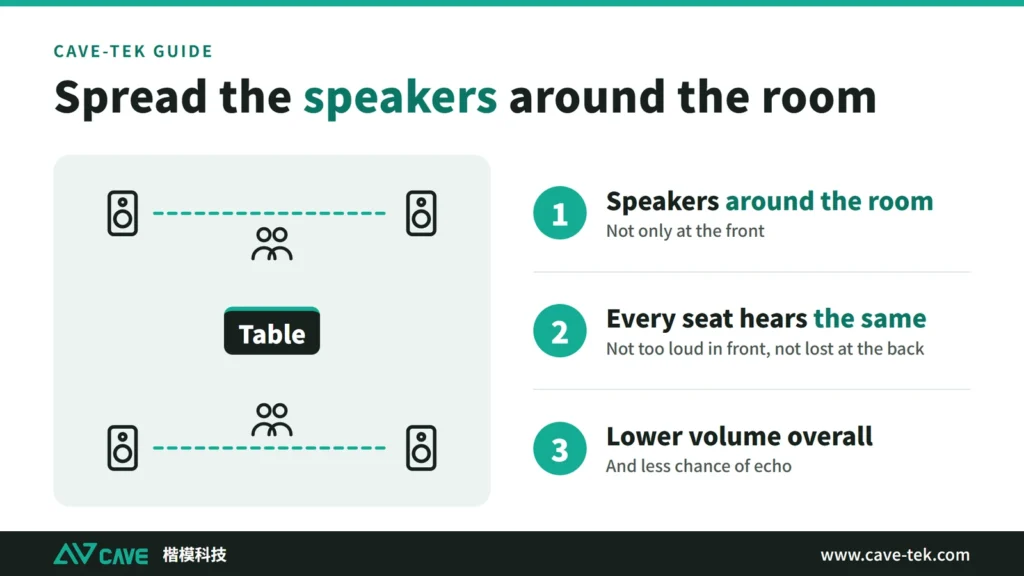
- Be clearly heard: the sound from the speakers should be spread evenly, so every seat hears about the same volume. The thing to avoid is the front row finding it too loud while the back row cannot hear.
- Be free of noise and echo: the room itself should be quiet enough, and the equipment should deal with noise and echo. Where the speakers go should also follow one rule: do not create echo.
- Pick up everyone: choose the type and number of microphones to suit the room, the headcount and the way meetings run. Gooseneck, handheld, lapel, boundary and ceiling microphones each have their place; some array microphones can even aim at whoever is speaking.
- Leave room to grow: when there are more people or the room gets bigger, you should be able to add microphones or speakers without replacing everything.
For a large meeting space, consider equipment that supports networked audio (Dante, for example). Sound travels over network cable, with low delay and little interference; the wiring is simpler, and the system is easier to expand and maintain later.
Sound problems usually fall into one of these kinds
Users describe symptoms; the equipment and the room deal with causes. The table below matches the nine things people say most often to a cause and a remedy. Before troubleshooting, ask one question: can the people in the room not hear the far end, or can the far end not hear the room? The first is usually on the playback side (the speaker, the volume, the output setting in the meeting software); the second is usually on the pickup side (the microphone, the distance, the input setting). Only when both directions have problems do you need to look at the network and the meeting software. This stops you replacing the wrong equipment.
| What users say | Common cause | What to do | Read on |
|---|---|---|---|
| The far end says “I cannot hear you clearly” or “you are quiet” | The microphone is too far from the person speaking; equipment made for a small room is used in a large one; the meeting software has picked another microphone | Shorten the distance between microphone and people, or add microphones; check that the meeting software uses the room microphone | Which microphone |
| The sound is hollow, as if speaking in a barrel | Reverberation: hard surfaces keep reflecting the sound, and the microphone is far from the talker | Bring the microphone closer to the person speaking; add absorption if needed | Reverberation |
| The far end hears what they just said | The speaker sound is picked up by the microphone again; the room system and a laptop microphone and speaker are on at the same time; the speaker volume is too high | Check that echo cancellation is on; ask others to turn off their laptop microphone and speaker; lower the speaker volume | Echo |
| A sharp howling sound | The microphone is too close to the speaker, or the volume or gain is too high | Move the microphone and speaker apart and lower the volume; or use an all-in-one unit where both are built together | Echo |
| Noise, air conditioning, fan noise, humming | Air-conditioning outlets, projectors and equipment fans; analogue cabling picks up interference easily | Deal with the noise source first; turn on noise reduction; for analogue cables, try another cable or socket, or switch to a digital connection | Noise |
| The volume goes up and down | People sit at different distances from the microphone; automatic gain is adjusting; several people talk at once | Keep every seat at a similar distance from a microphone, or add microphones; check the automatic gain setting | 3A audio processing |
| The meeting is heard next door, or outside sound gets in | Poor sound insulation: sound passes through walls, door gaps, glass or a shared ceiling void | Insulation work: seal door gaps, sound-insulating doors, wall insulation | Absorbing and insulating |
| The sound breaks up or stutters | Usually not an audio equipment problem: an unstable network (especially Wi-Fi), a USB cable that is too long or extended the wrong way, or the computer running too many programs | Use a wired network, or 5GHz Wi-Fi; use a proper extension solution for long USB runs; close programs you do not need | Choosing a USB extension cable |
| No sound at all, or the device cannot be selected | The meeting software has picked the laptop microphone; a problem with the USB port or driver; the unit is muted | Check the input and output devices in the meeting software; try another USB port and replug; check the mute button on the unit | Connecting to the computer |
This table is a general order of checks drawn from vendor technical documents and industry surveys; real rooms differ. The four most common causes in a meeting room are explained once each below.
Reverberation: why sound turns muddy and the room sounds hollow
What the far end hears is decided by four links in order. First the room, which decides how sound reflects, fades and builds up. Second the microphones and speakers, which pick up and play back. Third audio processing: echo cancellation, noise suppression and level balancing. Fourth the meeting software and the equipment at the far end, which encode, send and play. The room comes first and is the link most often forgotten; when it has a problem, the other three can only patch it up.
When a person speaks, the sound reaches the microphone by two routes. One is the direct sound: from the mouth straight to the microphone, the shortest route, so it arrives first, and it carries the start of each word and the consonants, which decide whether a sentence is intelligible. The other is the reflected sound: it hits the walls, ceiling, floor and tabletop first and then comes back to the microphone, a longer route that arrives tens to hundreds of milliseconds later. Hard surfaces absorb little, so what comes back is still loud; carpet, curtains and acoustic panels absorb most of it.
So “sounds hollow” can be put as too little direct sound and too much reflected sound, but the more accurate way to say it is that the balance between the two is wrong. The microphone picks up the two added together, and when the balance tips, trouble starts. Distance is the main cause: direct sound weakens the further it travels from the source (about 6 dB less each time the distance doubles), while the reflected sound in a room is roughly the same everywhere. Close to the microphone, the direct sound outweighs the reflections and the voice sounds clear and full; far away, the direct sound is weak and the reflections become the main part.
The late reflections pile up behind the direct sound, so the tail of each word is stretched and the start of the next word is buried under the tail of the last one. The consonants blur, and it sounds like speaking in an empty room, a bathroom or a barrel. That is reverberation, and it is what the far end hears: blurred and hollow.
Once you know it is a question of balance, there are two ways to improve it: raise the direct sound (bring the microphone closer to the person speaking, or add units so that every seat is near one), or lower the reflected sound (add absorption on the surfaces that reflect most). The first is usually faster and cheaper; the second is for rooms that are still muddy after the microphones are close.
Common conditions that increase reflections:
- Glass walls, glass windows and glass partitions
- Hard, smooth floors such as tile, concrete and marble, and hard tabletops
- A smooth hard ceiling, or a very high one
- Two hard walls facing each other in parallel, where sound bounces back and forth with a buzzing flutter (flutter echo)
- A large, empty room with no carpet, upholstered seating or curtains to soak up sound
Noise suppression is good at steady background sound such as fans, air conditioning and keyboards. Reverberation is different: it is the speaker own voice, arriving a moment later at the microphone, and it looks very much like the original voice, so equipment can hardly remove all of it without harming the voice. The sensible view is that audio processing reinforces, the room is the foundation, and the two work together. That is why, however far the microphone is rated to reach and however much noise suppression is switched on, the far end can still say your room sounds hollow.
These problems sometimes appear only after a refit: the equipment is the same, but the floor, the glass or the furniture changed material, and the sound suddenly gets worse; the equipment is not necessarily broken. A simple check: clap once in the empty room. If the sound hangs on or flutters, there are too many reflections. For what to do about it, see “A room already in use has sound problems” further down.
Echo: the speaker sound gets picked up again
The most common echo in a video meeting is this: the far end voice comes out of our speakers, is picked up by our microphones and sent back, and the far end hears what they have just said. Sometimes we also hear our own or other voices ringing around the room. Either way the meeting becomes very hard to continue, so echo is the first problem to solve when planning conference audio.
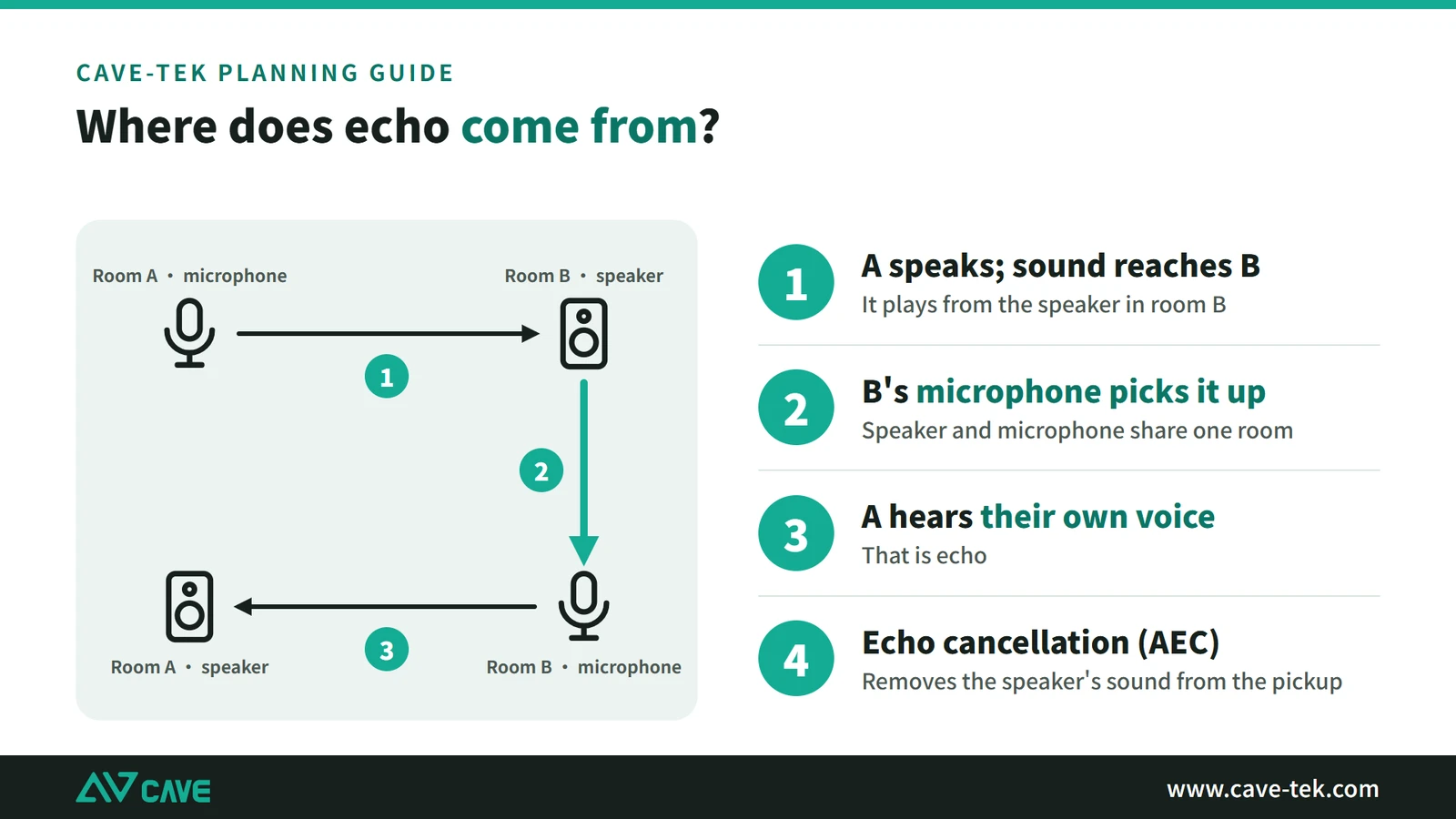
Echo is likely when:
- The microphone is too close to a speaker, or sits just where reflected sound is strongest
- The room system and a laptop microphone and speaker are on at the same time, so two audio paths run together
- The speaker volume is too high
- The room has many reflections: the sound from the speaker bounces around for a long time before it dies away, so the tail that echo cancellation has to chase gets longer and is harder to remove cleanly
There are three remedies: turn on echo cancellation (see the next section on 3A audio processing); ask others to turn off their laptop microphone and speaker; lower the speaker volume and move the microphone and speaker apart. If the microphone is too close to the speaker, or the volume or gain is too high, the sound is picked up and amplified again and becomes a sharp howl. The remedy is the same: move them apart, lower the volume, or use an all-in-one unit where microphone and speaker are built together.
Noise: where it comes from
Noise is best dealt with at the planning stage. Once the fit-out and the equipment are fixed, changing things is much more trouble. Noise in a meeting room comes from three sources:
- Air conditioning and machines: the rush of air from the air conditioning is the most common, followed by fans, projectors, printers and computers, including the low hum that air conditioning or machines make.
- Sound from outside: a room beside a road picks up traffic and voices; a meeting or phone call in the next room or office carries through too.
- Equipment and cabling: analogue cabling picks up interference easily, heard as a steady hum; equipment itself also has a little electronic noise.
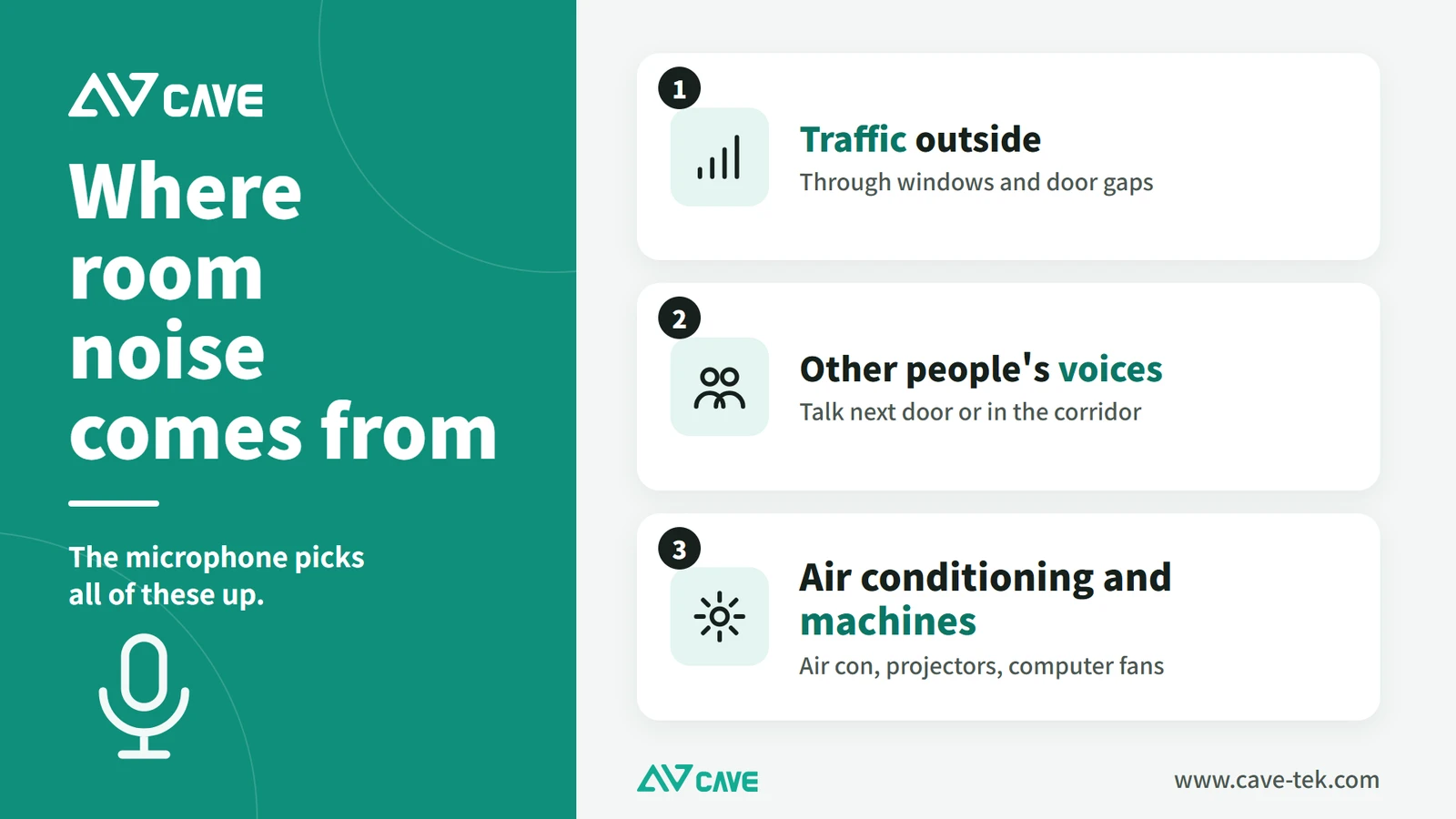
People sitting in the room are usually used to these sounds and hardly notice them. The microphone picks up all of them and sends them to the far end. Deal with them in this order: start at the source (the position and airflow of outlets, the position of projectors and equipment fans, regular maintenance); then rely on the equipment noise suppression (next section); for the hum of analogue cables, try another cable or socket, or switch to a digital connection. Sound coming in from outside is an insulation problem, covered below.
Absorbing is not the same as insulating
Absorption deals with reflections inside the room and improves reverberation; insulation deals with sound passing through walls, door gaps, glass or a shared ceiling void. Acoustic panels do not replace insulation: to fix echo and reverberation, absorb; to stop a meeting being overheard or to keep outside sound out, deal with insulation. Insulation is building work. Common measures are sealing door gaps, sound-insulating doors, strengthening glass partitions, and checking that the walls run all the way up to the slab. Whether to do it, and how, is best assessed by a fit-out contractor or acoustic consultant.
Three kinds of audio processing that make speech clear
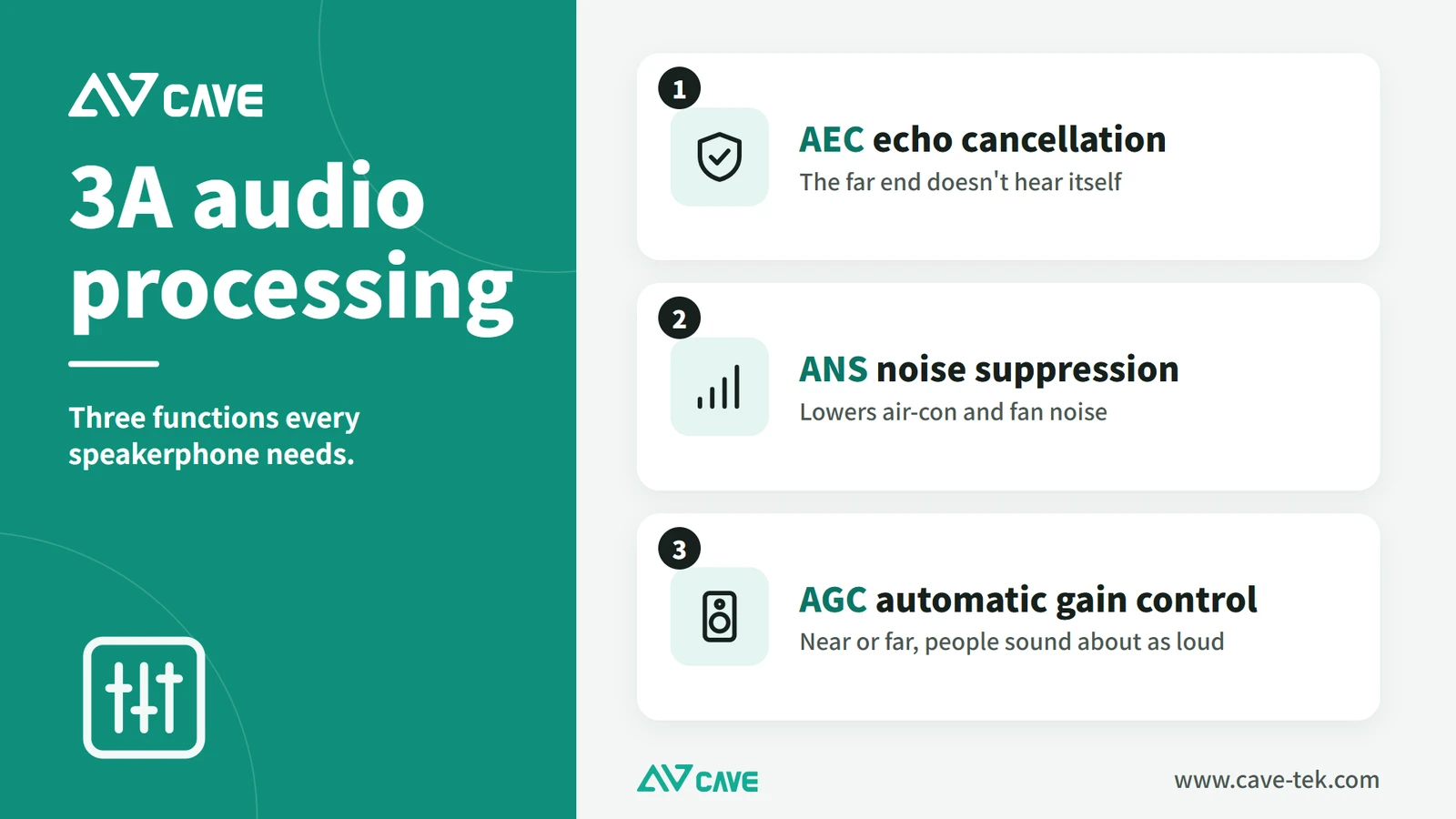
Professional conference audio equipment has a matching set of processes for these room-specific problems: echo, noise, and uneven volume when several people speak. The industry calls it “3A” processing, because the three functions all start with A: AEC, ANS and AGC.
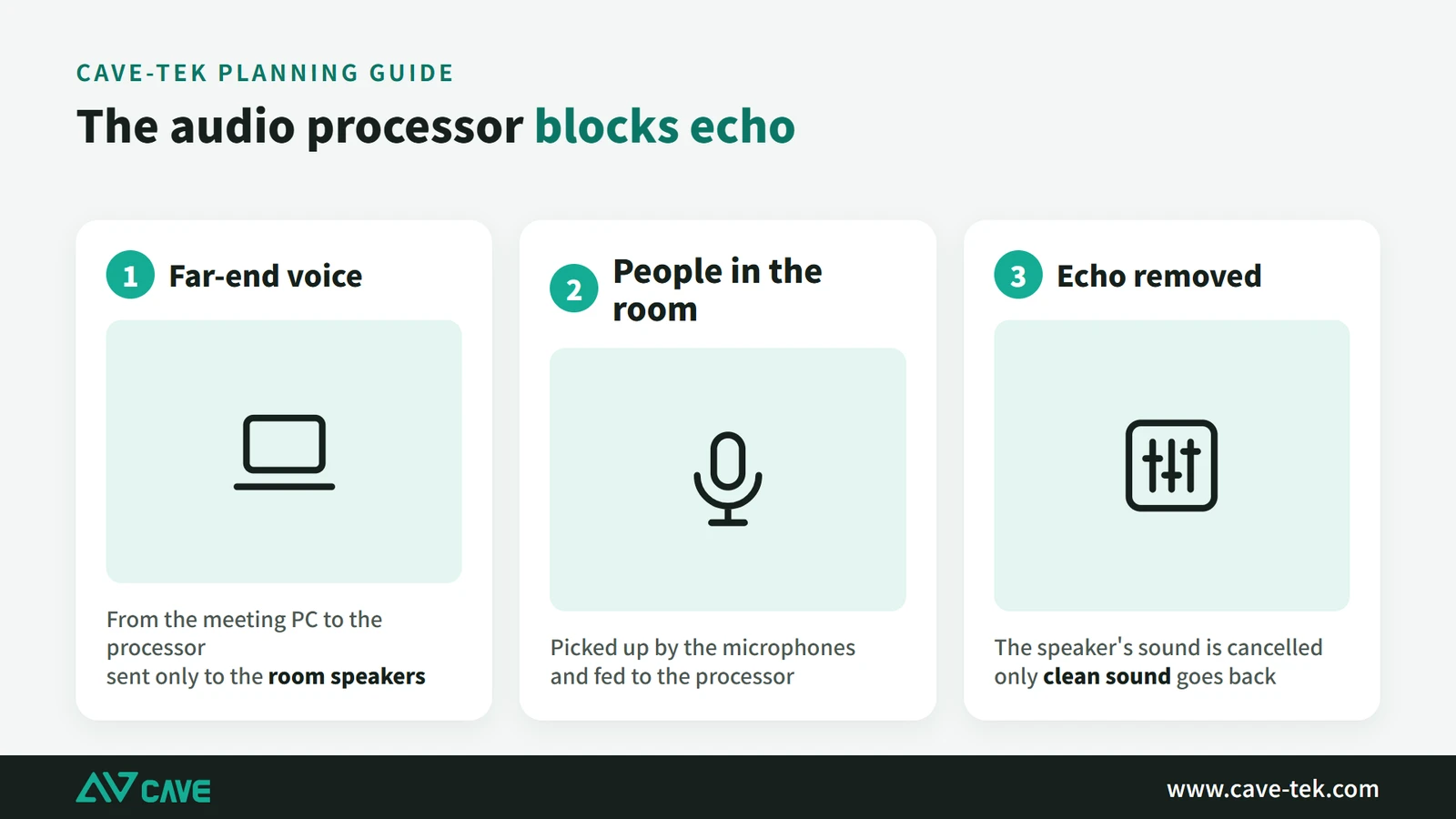
Echo cancellation (AEC)
The purpose of echo cancellation is to stop the far end hearing their own voice, so that talking stays clear and comfortable. It works like this:
- Detect: the device knows what its own speaker is playing, so it can recognise which part of the microphone signal is that sound coming back round.
- Model: it works out how late the echo returns and which frequencies are strongest, learning how echo forms in this particular room.
- Cancel: it generates a signal that is the exact opposite and mixes it with the microphone signal, removing the echo so it isn’t sent back.
- Keep adjusting: the room changes, for example when someone moves the speaker or the microphone, and the echo changes with it. The device keeps monitoring and correcting so the echo stays cancelled.
Noise suppression (ANS)
The purpose of noise suppression is to lower the background sound in the room so that speech is clearer.
- Detect: it analyses the microphone signal and finds the noise in it. Noise can come from the room, such as air conditioning and fans, or from the equipment’s own electronics.
- Model: it learns the character of the noise, such as which frequencies it sits in and how its energy is spread, so it can tell noise from voice.
- Suppress: it processes the noise it has identified and reduces its effect as far as possible.
- Enhance speech: some devices also strengthen the voice a little so it sounds clearer still.
Automatic gain control (AGC)
Automatic gain control looks after volume. Some people sit close and speak loudly; others sit further away and speak quietly. AGC makes everyone sound about the same, so that everyone is heard.
- Detect: it measures continuously how loud the microphone signal is.
- Analyse: it decides whether the level is too high or too low, either averaged over a short time or at that instant.
- Adjust: quiet voices are raised and loud ones lowered, avoiding clipping and distortion.
- React in real time: speaking volume changes all the time, and AGC follows it, which keeps the level steady through the whole meeting.
You may ask: don’t Teams, Google Meet and similar apps already cancel echo and reduce noise? They do, but that processing was designed for one person at a computer, dealing with the laptop’s own speaker and microphone. A meeting room is larger, has more people, and has speakers and microphones further apart, and software alone often can’t clean it up. A conference speakerphone is designed for the room: it knows what its own speaker is playing and what its microphones hear, so the result is much more consistent.
Which microphone?
The best pickup comes from giving everyone their own microphone, such as a handheld, a gooseneck on the table or a lapel microphone. The mouth is close to the microphone, so the voice is clear and little noise from nearby gets in. In practice this often can’t be done: people want their hands free, there aren’t enough microphones, or the room can’t have fixed installations.
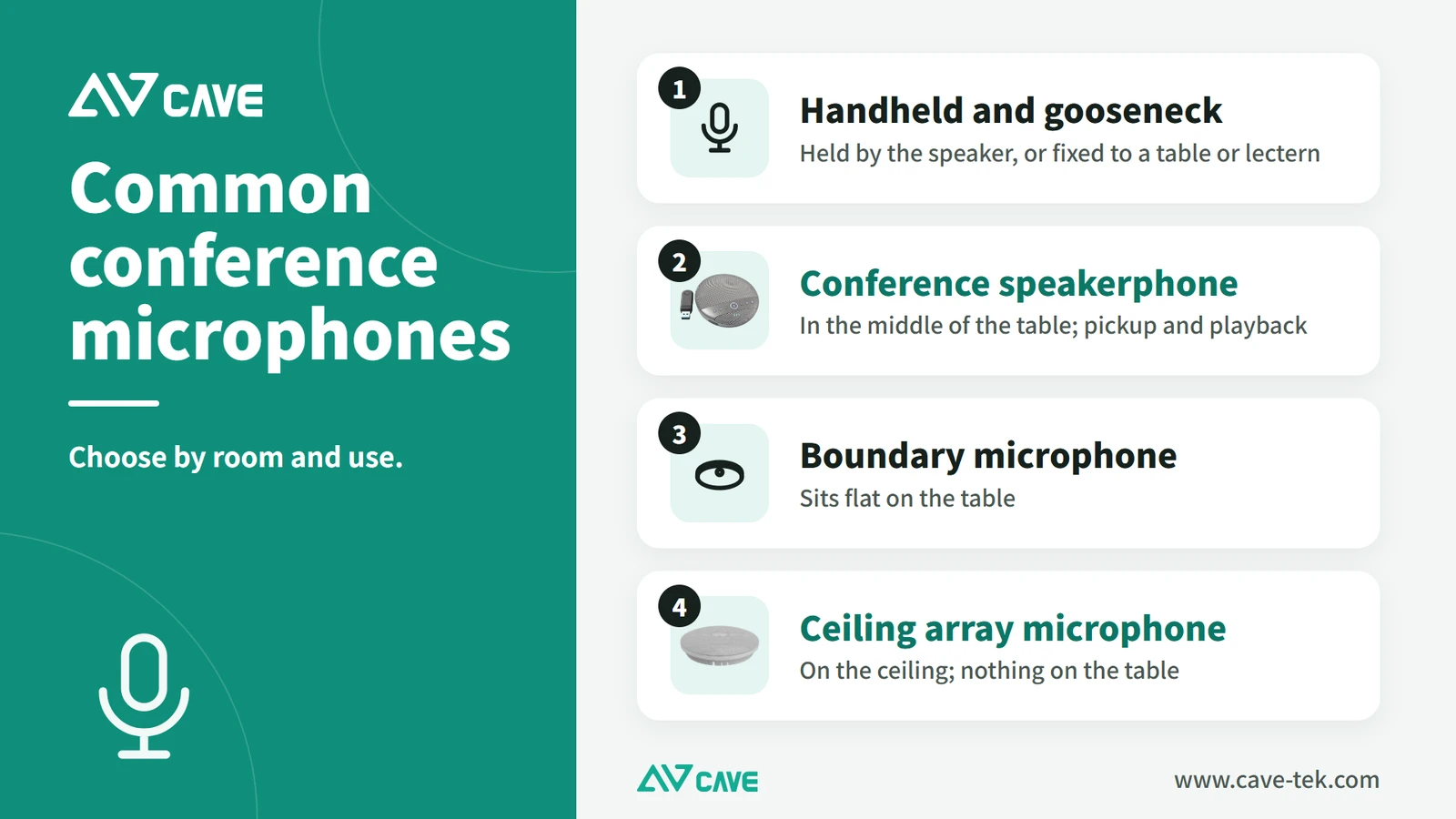
So the most common approach today is an omnidirectional conference microphone, such as a tabletop speakerphone, a boundary microphone or a ceiling microphone. It picks up sound through 360 degrees over a range of roughly 1.5 to 6 metres, so one unit covers a whole group. Nobody holds a microphone, and nobody worries about not being picked up when it is their turn to speak.
With people further from the microphone and a larger pickup area, though, echo, noise, uneven volume and quiet voices from far away all become more noticeable. How to deal with them is covered in “Sound problems usually fall into one of these kinds” above and in the 3A audio processing section next.
Common audio setups, and how to choose
There are many conference audio solutions on the market. They fall into roughly five kinds, each suited to a certain size of room. Work out which kind of room you have first, then choose.
This table compares the main conference microphone systems: whether several people can share one, whether separate speakers are needed, and whether an audio processor has to be added.
| Conference speakerphone (integrated) | Handheld microphone system | Gooseneck conference system | Boundary conference system | Ceiling conference microphone | |
|---|---|---|---|---|---|
| Pickup | Yes, shared | Yes, one each | Yes, one each | Yes, shared | Yes, shared |
| Playback | Built-in speaker | Needs separate speakers | Needs separate speakers | Needs separate speakers | Needs separate speakers |
| Computer connection (USB) | Built in | Needs an audio processor | Built in | Built in | Built in |
| Echo cancellation, noise reduction | Built in | Needs a processor with echo cancellation | Built in | Built in | Built in |
| In short | Simple to use; whether it expands depends on the model | Many choices, but conference audio processing must be added | Good results and expandable; more complex and costly | Very expandable; more complex and costly | Tidy appearance; more complex and costly |
All-in-one conference camera (small rooms)
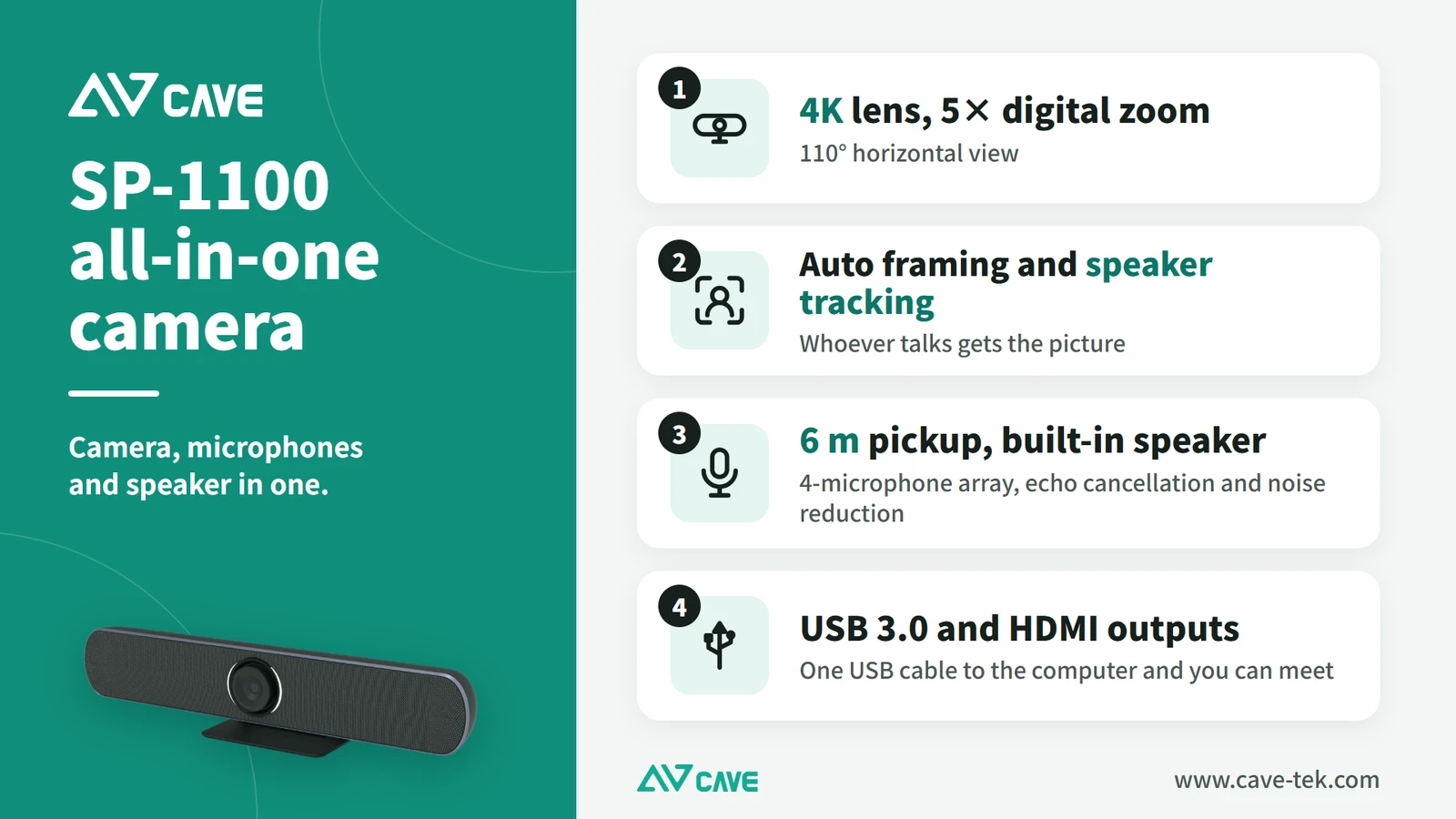
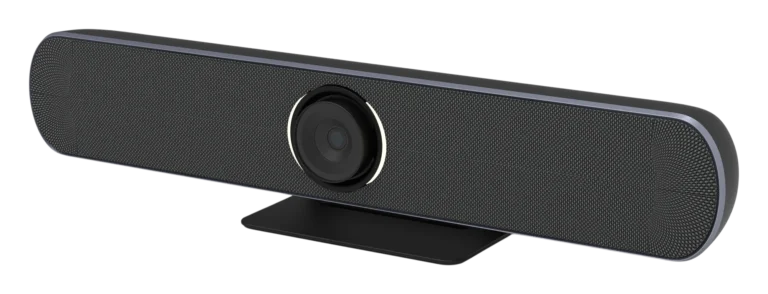
A USB camera, microphones and a speaker in a single unit, with clear sound and support for every conferencing app. It is very easy to install and use: one USB cable carries both picture and sound. CAVE SP-1100 is an example.
It only suits small spaces, ideally rooms up to 4 metres deep with up to 8 people (the microphones pick up voices up to 6 metres away). In anything larger the picture degrades when zoomed in, people further away aren’t picked up clearly, the speaker isn’t loud enough, and it can’t be expanded.
Conference speakerphone (small to medium rooms)
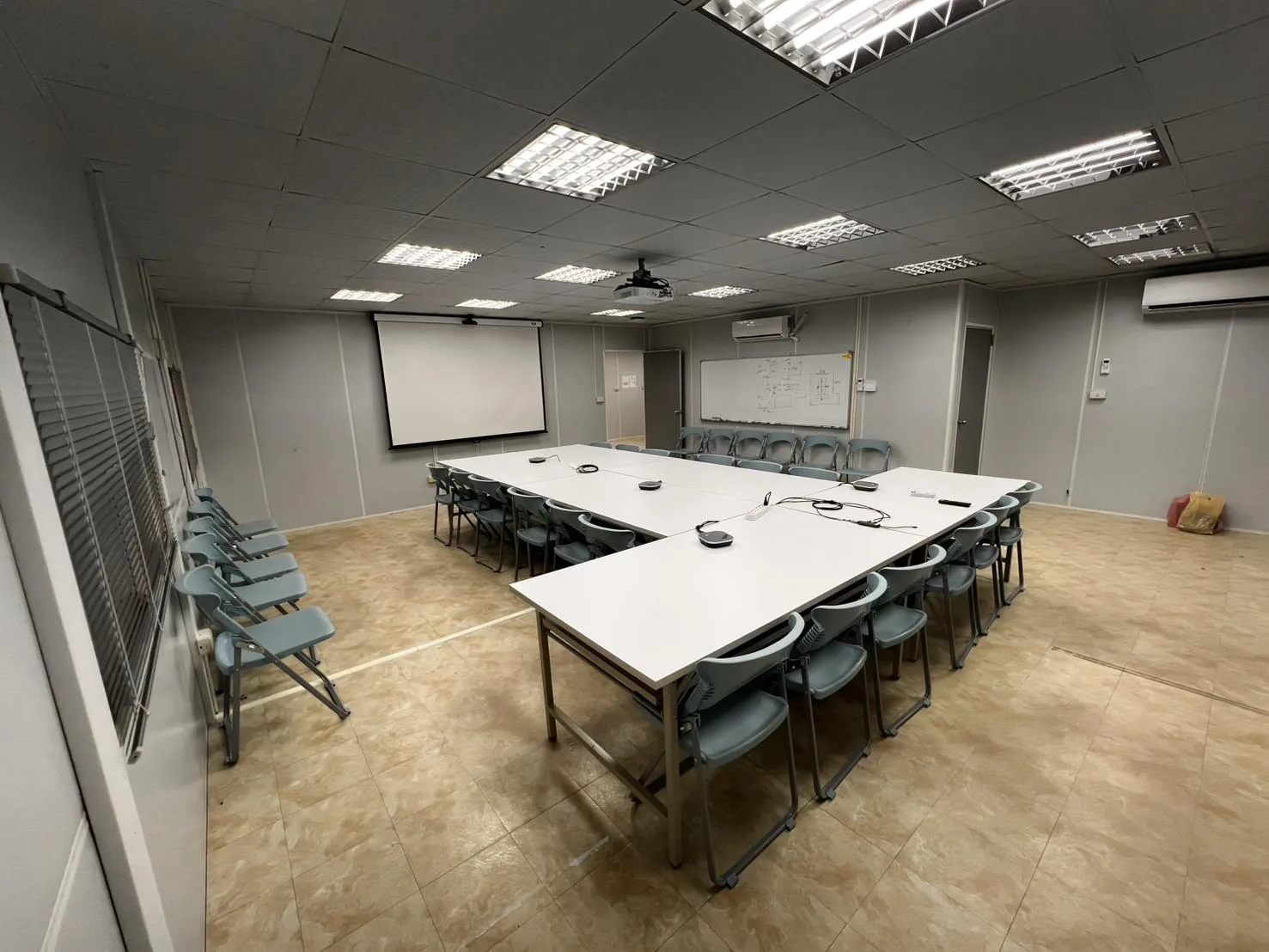
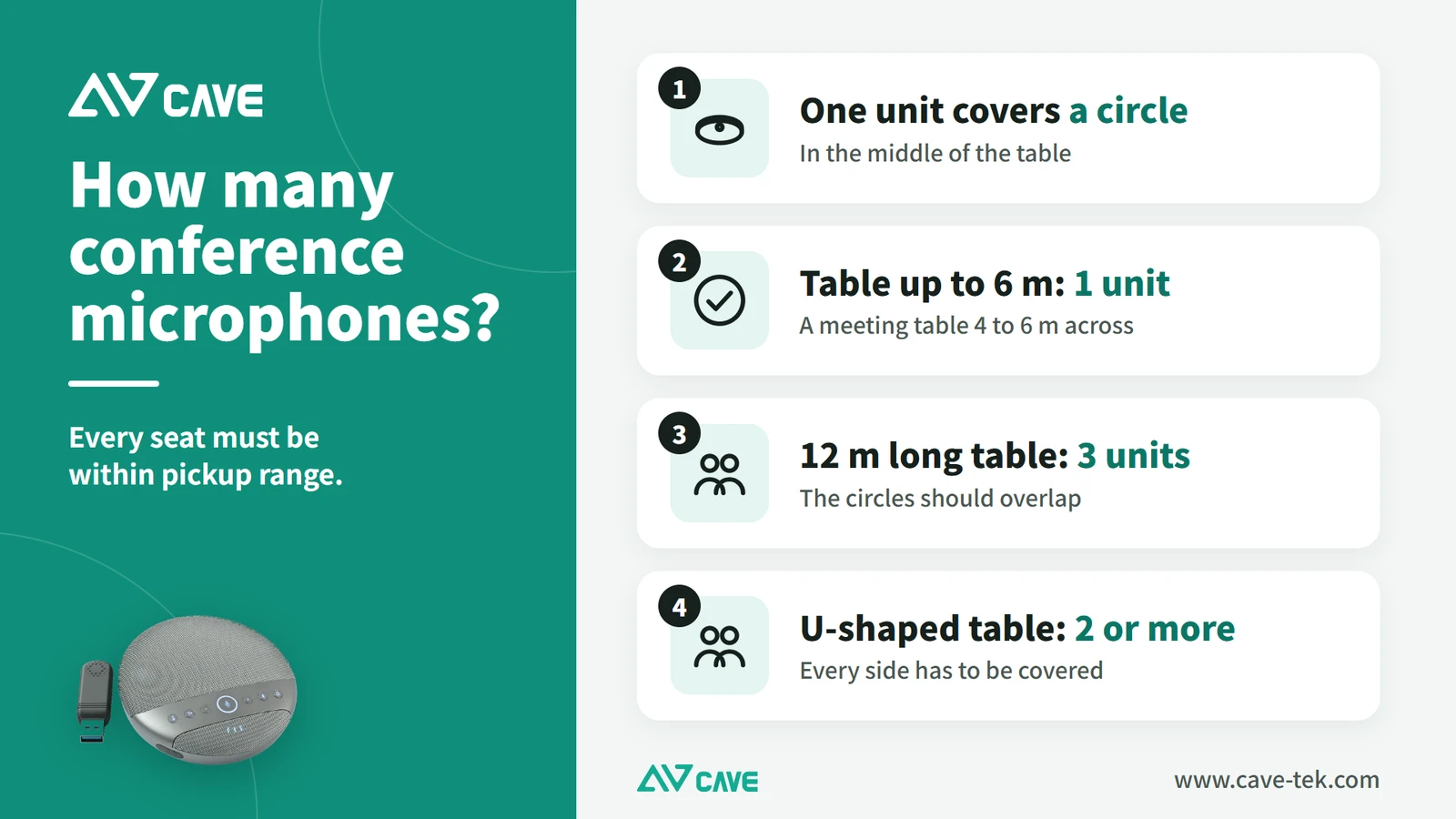
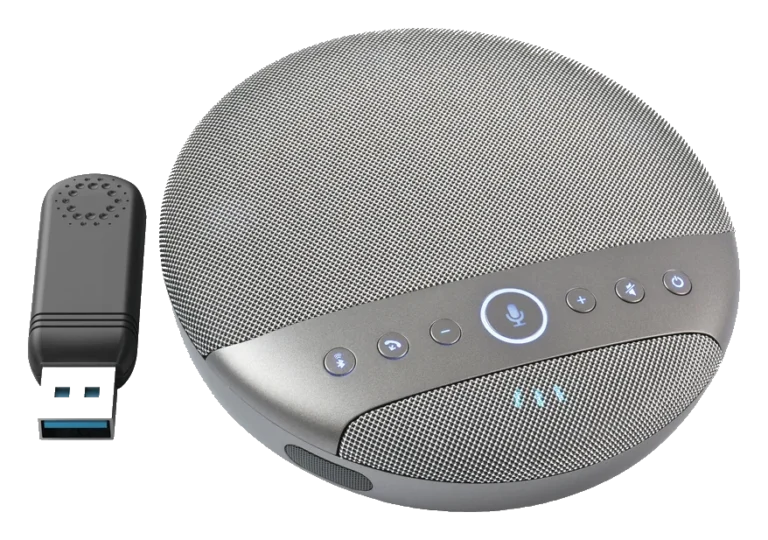
A tabletop device made for video meetings, with conference audio processing built into a single unit: echo cancellation, noise reduction and automatic gain control. Some products can be used several at a time to cover a larger area.
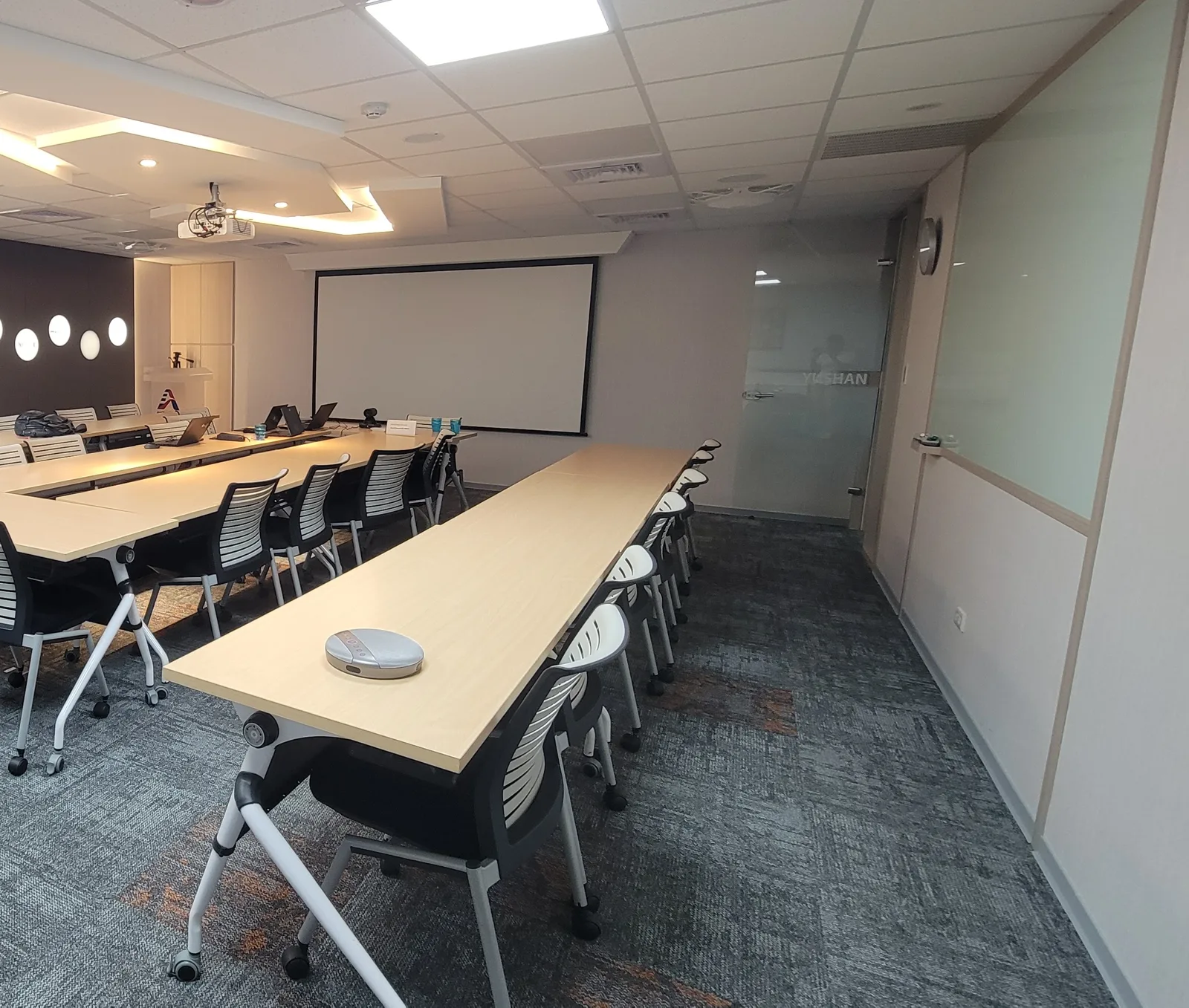
As a rule of thumb, one tabletop conference speakerphone suits up to about six people, and two used together up to about twelve. In a larger room, a model that can’t take more units ends up too quiet and hard to hear at the far end, so check how many units can work together before you choose.
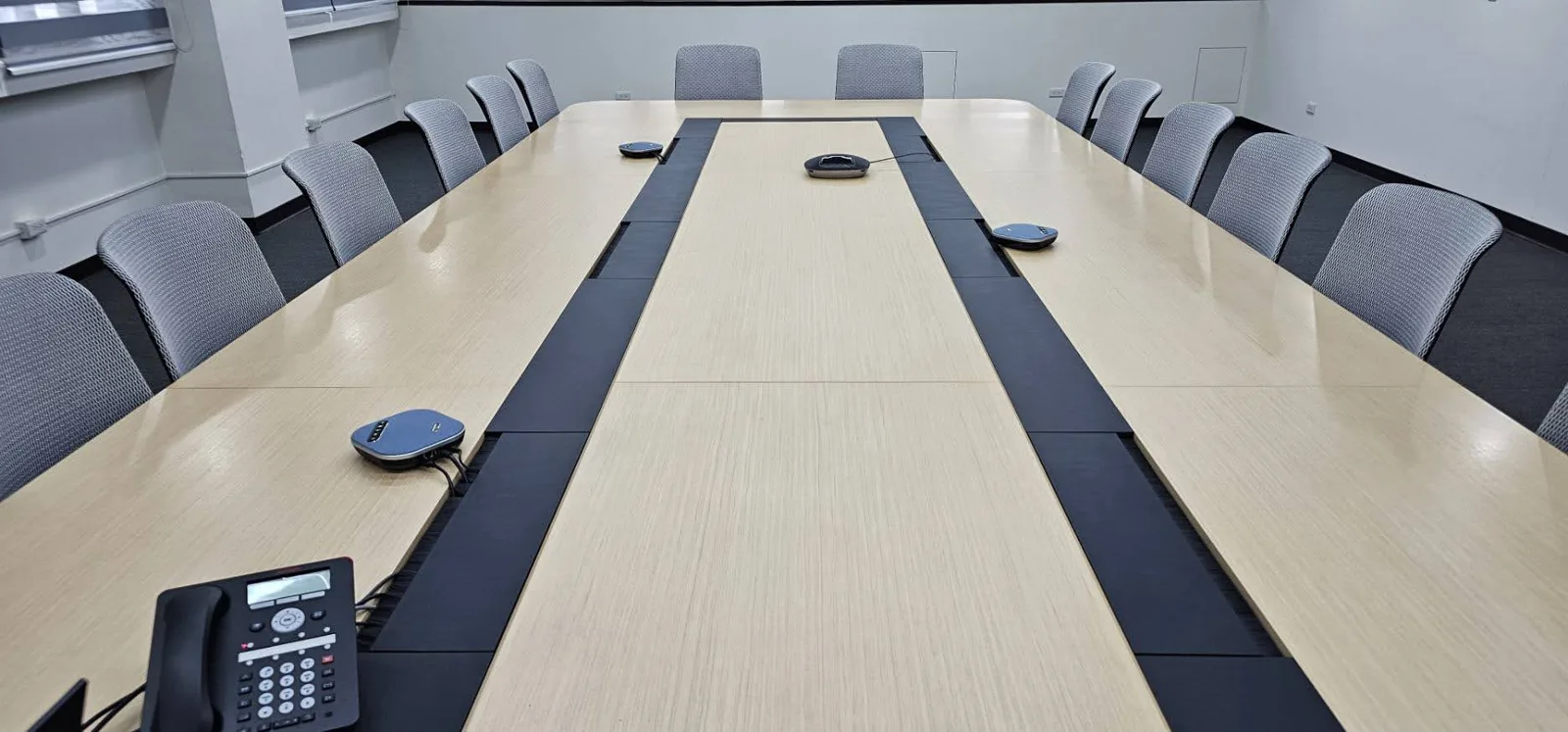
CAVE SM-500 can be used up to four at a time and suits long and U-shaped tables. U-shaped or ring seating covers a lot of space, and used to call for a complete professional conference audio system at considerable cost. Now several conference speakerphones can do the job, with the number chosen to suit the room and the headcount, and installation is much simpler.
See UCB video bundles for different rooms ›
Ceiling microphone (medium to large rooms)
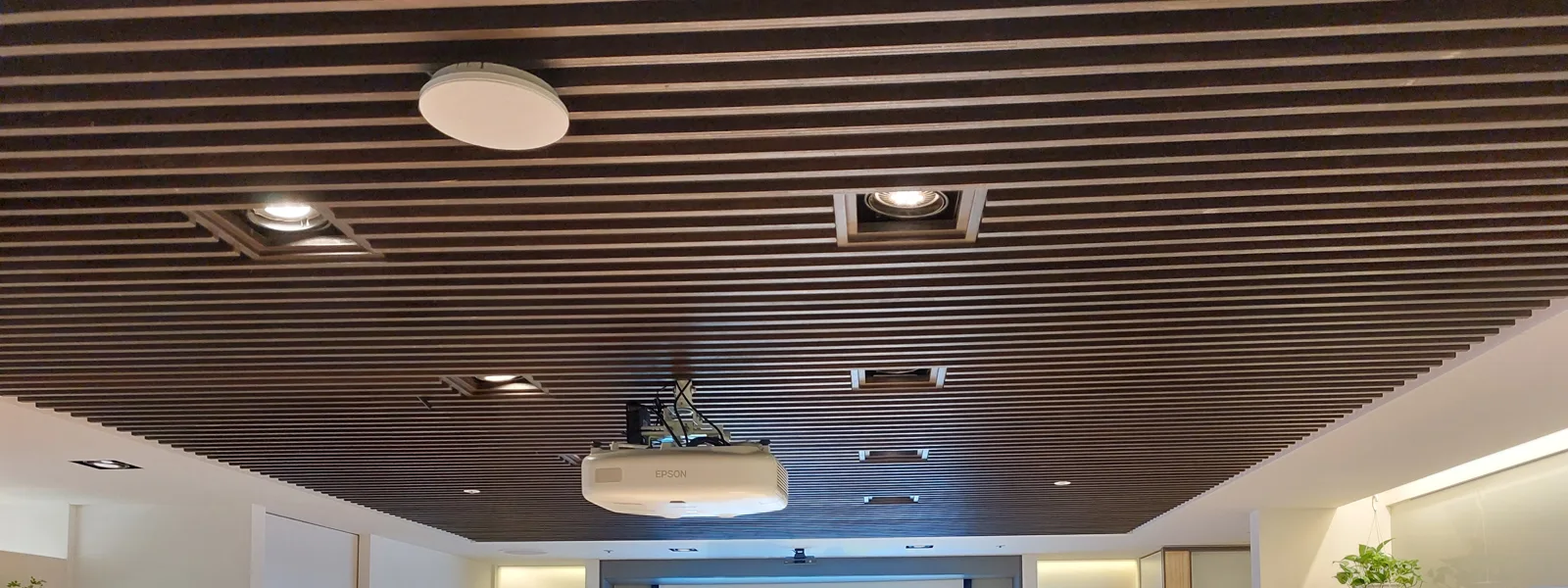
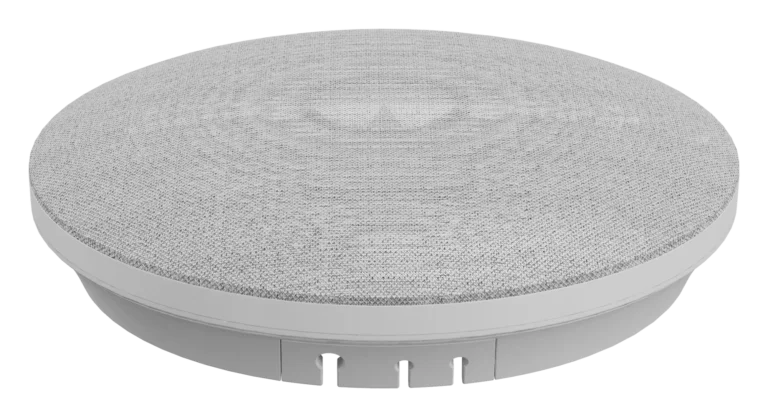
Ceiling, boundary and array conference microphones are all made for video meetings, with conference audio processing built in and clear pickup and playback. Mounted on the ceiling, they keep the table clear, which suits large rooms and spaces where you don’t want cables on the table.
The CAVE DMA-702 ceiling array microphone can be daisy-chained and can also work with existing handheld microphones: the main speaker uses a handheld, everyone else uses the ceiling microphones, and the system switches automatically and handles the echo.
Ordinary microphones plus an audio processor
Handheld, headset, lapel and gooseneck microphones can all be used for video meetings too. With the speaker close to the microphone, pickup is at its best and little noise from nearby gets in.
These microphones have no echo cancellation or noise reduction of their own. To connect them to the meeting computer you need to add a conference audio processor (DSP), or use a mixer and arrange the signal path carefully, to avoid echo. CAVE DMA-702, as well as its own microphones, can bring existing microphones into the system, so both kinds are used together while it handles echo and noise.
Complete room systems
Systems such as Microsoft Teams Rooms and Zoom Rooms are complete packages of hardware and software, with camera, microphones, speakers and a meeting controller. They suit companies that want everything managed in one way.
How do speakers and microphones connect to the computer?
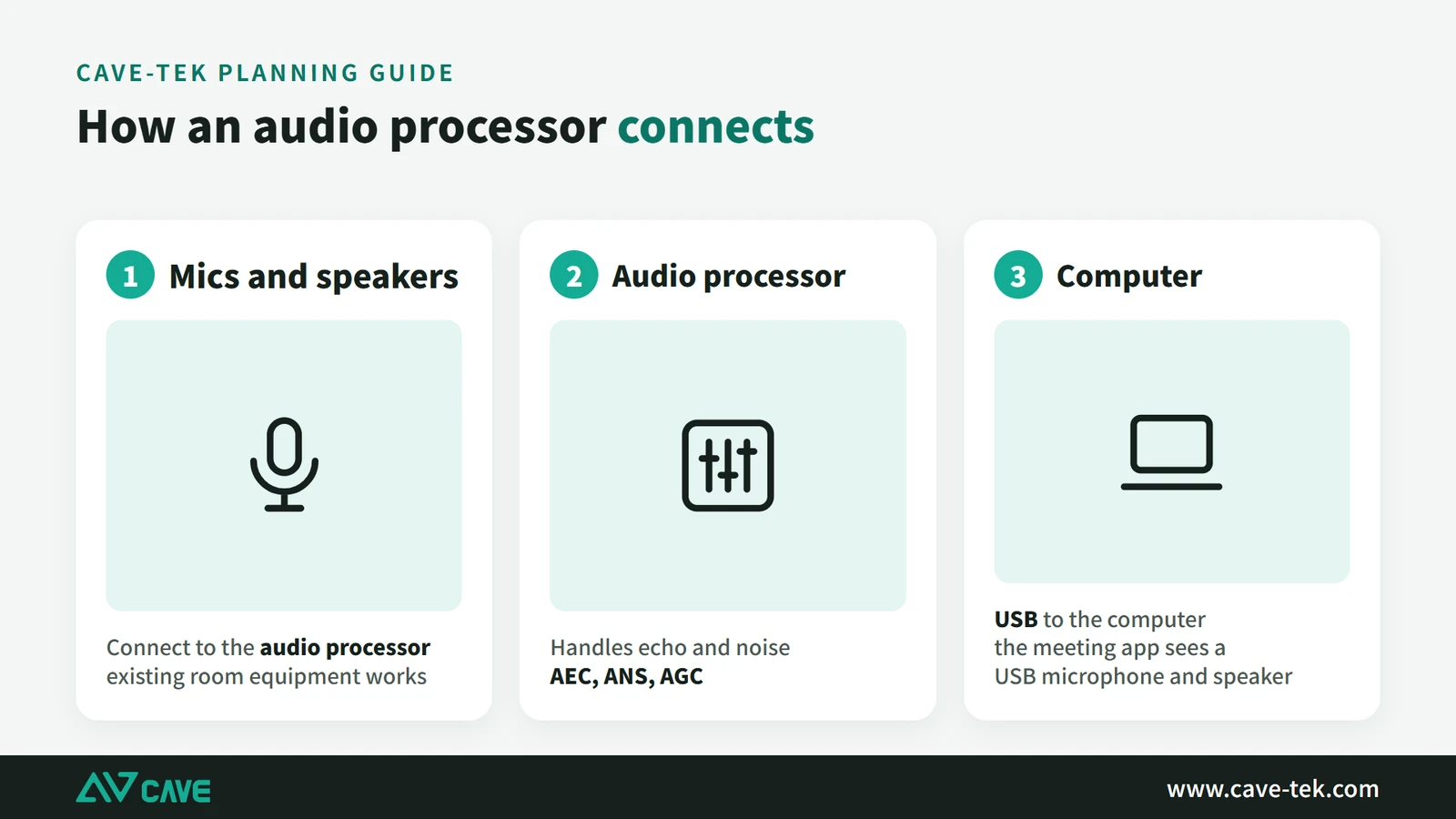
One person joining a video meeting has it easy: the speaker and microphone built into a computer, phone or tablet are enough. A meeting room works on the same principle, but for a group to meet together the room’s audio equipment has to be turned into a digital signal the computer understands (usually USB) and connected to the room’s computer or to your own laptop.
Common problems at this step are:
- No connection: the microphone, speaker or other audio device can’t be connected properly to the computer used for the meeting.
- Audio delay: sound arrives late, the two sides talk out of step, and the meeting becomes awkward.
- Echo: the room’s existing public-address microphones and speakers were never designed with echo cancellation or noise reduction, so using them directly for a video meeting produces echo.
- Incompatibility: some audio devices don’t work properly with a particular video conferencing app.
A USB conference speakerphone avoids all of these at once: it is a USB device in its own right, the computer recognises it as a microphone and a speaker, and echo cancellation and noise reduction are already built in. If you want to keep the room’s existing microphones and loudspeakers, add an audio processor in between, as in the diagram below. It blocks the echo and hands the sound to the computer over USB.
Plan the room’s audio in this order
There is a lot to consider when choosing audio equipment for a meeting room. Working through the list below in order makes it harder to miss something:
- Understand the need: room size, budget, maximum headcount, how often it is used and what for.
- Look at the room: size, shape, ceiling height and wall materials decide which kind of equipment suits and how to lay it out. Decide too whether the equipment is fixed or movable, and whether it goes on the table, on the ceiling or in the hand.
- Decide the functions: multi-party calls, echo cancellation, noise reduction, for example. Consider whether it should work together with a camera and display.
- Choose the microphones: pick a type to suit the room and the need, such as a conference speakerphone, a boundary microphone, a ceiling array, or a mix of handheld and boundary microphones. The principle is simple: the closer the microphone is to the person speaking, the clearer and fuller the voice and the better the level. Even with linked or array microphones, work out the area each one covers and place them densely enough for everyone to be within a suitable distance.
- Place the speakers: depending on the size and shape of the room, use a single speaker, a speaker array, or several speakers distributed around the room. To avoid echo, keep speakers away from microphones and don’t point a speaker at one.
- Check the audio processing: choose equipment with echo cancellation, noise reduction and automatic gain control. If you have neither a dedicated audio processor nor a speakerphone with processing built in, at least test the processing built into Teams, Google Meet or Webex and see whether echo and noise are dealt with.
- Confirm it works with what you have: the new audio equipment should work with the room’s existing equipment and your usual conferencing apps, and be easy to manage.
- Ask a professional: if you are unsure, ask a professional audio supplier or system integrator for advice.
- Try and test first: before deciding, borrow the equipment and try it in the room, to confirm that every seat can be heard.
- Think about expansion: choose a flexible system that can take more devices, so you can cope when needs change.
For a large or acoustically difficult space, professional audio design starts with an acoustic simulation on a computer: a 3D model of the room predicts how sound spreads, whether it is loud enough and which walls it reflects from, before the speaker and microphone positions are decided.
A room already in use has sound problems: how to work through it
The previous section was about planning a new room. If a room is already in use and the far end says it sounds hollow or hard to follow, or the meeting can be heard next door, find out where the problem is first, then decide whether to adjust the equipment, move things, or treat the room. In many cases adjusting equipment and placement improves things without any building work.
- Classify it: use the table in “Sound problems usually fall into one of these kinds” above to tell reverberation, echo, noise and poor sound insulation apart. The fixes are very different.
- Check equipment and placement first, since this costs least: how far the microphone is from the person speaking, the position of speakers relative to microphones, whether echo cancellation is on, and the sound of air conditioning outlets and projector fans.
- If the sound is still hollow after that, look at the room: how much of it is glass, tile, stone and hard tabletop. Clap once in the empty room and listen to how long the sound hangs on.
- To judge whether treating the room is worth it, measure: reverberation time (RT60) and background noise, and for an important room speech intelligibility (STI). Measuring is usually done by an acoustic or fit-out contractor with the instruments. An ordinary meeting room may not need it; large or important rooms are more worth it.
- Pick the treatment that matches the problem, as in the table below.
- Measure again afterwards and hold a real call with the far end to confirm it is better.
Each kind of problem has a different treatment:
| Problem | Treatment | What is done | Keep in mind |
|---|---|---|---|
| Long reverberation, flutter echo | Absorption | Add absorbing material on the surfaces that reflect most: commonly two parallel walls, glass partitions and the ceiling. Where it goes matters more than how many panels. | Absorption improves the sound inside the room only; it does not stop sound travelling out of it. |
| High background noise from air conditioning or projectors | Deal with the noise source | Change the position or airflow of outlets, the position of projectors and equipment fans, or maintain them regularly. | Absorption and insulation do not solve noise; it has to be dealt with at the source. |
| The meeting is heard next door, or outside sound gets in | Sound insulation | Seal door gaps, fit sound-insulating doors, strengthen glass partitions, and check whether walls run all the way up to the slab (whether the ceiling void connects to the next room). | Insulation is building work, best assessed by a fit-out contractor or acoustic consultant. Acoustic panels do not replace insulation. |
| The far end hears what they just said | Equipment | Turn on echo cancellation (AEC), and check the position and volume of speakers and microphones. | Unrelated to the materials in the room; check the equipment first. |
| Microphone too far from the person speaking | Adjust the microphones | Move the microphone closer to whoever is speaking, or add more microphones. | The closer the microphone, the smaller the share of reflected sound. |
Whether to treat the room has no single answer. In a small room used now and then with a mild problem, adjusting equipment and placement is often enough. When the problem is clear, the room is large, or important meetings are common, measuring first and then deciding how much to treat is the steadier course. Absorption and insulation are different kinds of work, so confirm which one you are solving before you start.
Reflections and room echo in large meeting rooms have their own guide: “Microphones for large meeting rooms”.
Suggested setups by room size
The whole guide comes down to one sentence: deal with echo and noise first, then get everyone close enough to a microphone. The grade of the equipment comes second; with the layout right, the sound is clear. Below are common audio setups by room size.
Small (up to 8 people): the sound built into SP-1100, or A01 or A01SE with SM-500. Medium: SM-500 x2–3, and x3–4 for a long or U-shaped table. Large: DMA-702 or SM-500 x4. For the camera that goes with it, see “What to buy for a video conference room”; a large room has more pickup options, covered in “Microphones for large meeting rooms”.
If you remember only three things, make them these. First, the closer people are to a microphone the better, so a large room is covered with more microphones, not with one turned up to maximum. Second, don’t point a speaker at a microphone, and choose equipment with 3A audio processing, or echo and noise will not come down. Third, try it in your own room before you decide, because every space sounds different in ways a specification sheet doesn’t show.
Every meeting room has its own shape and use, and it is quite normal to finish still undecided. Tell us the size of the room, the number of people and how the tables are arranged, and we will plan how many units you need and where they go, free of charge.
Contact us about your meeting room ›
* SE stands for single output: the A01SE has the same picture specifications as the A01 but only a USB output, with no HDMI. If you need HDMI output, choose the A01.
Products in this guide
FAQ
How many speakerphones do I need?
One for up to about 6 people; for 6–15, a larger-pickup unit or two; for 15+, daisy-chain several units or use ceiling microphones.
How many SM-500 units can be used together?
Up to 4. For larger rooms, we recommend DMA-702 ceiling microphones.
Do conference speakerphones need drivers?
USB speakerphones that follow the USB audio class work without drivers on Windows and macOS, in Teams, Google Meet, Zoom and Webex.
The planning advice in this guide is general reference. Actual results vary with the room, the equipment and the network. Product specifications follow the manufacturer's documents; we recommend contacting us for an assessment first.
More guides
Microphones for Large Meeting Rooms: Which Type to Choose, How Many to Place, and How to Deal with Room Reflections
There are several ways to pick up sound in a large meeting room, each with trade-offs. This guide compares one microphone per person, tabletop omnidirectional units and ceiling arrays, explains the limits of omnidirectional pickup such as the SM-500 and SM-800, and shows how to improve the echo caused by glass walls and hard floors.
Huddle Room Setup: One USB Cable, 2 to 6 People on a Call
A huddle room is used all the time and looked after by no one. This guide compares the three simplest setups: the SP-1100 all-in-one, the J01i with an SM-500 (UCB-S), and the A01 with an SM-500, and how to choose by headcount, room size and room to grow.
How to choose a meeting-room camera: 8 things to check, starting with room size
The camera is the most visible part of a video meeting. Whether remote people can see everyone, and see them clearly, depends on it. Work through these 8 points before you choose.